
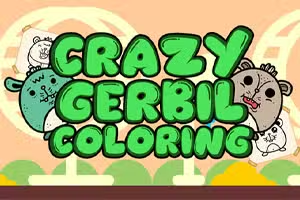
Galna Gerbil Målarbok
Galna Gerbil Målarbok är ett webbläsarbaserat målarboksspel designat för fans av avslappnade och pedagogiska pusselupplevelser. Denna interaktiva titel låter dig väcka olika gerbil-teman till liv genom att välja och applicera livfulla färger med enkla kontroller.
Med klicka-och-färga-mekanik fungerar Galna Gerbil Målarbok sömlöst på både stationära och mobila enheter, vilket gör det tillgängligt för spelare i alla åldrar.
Hur fungerar Galna Gerbil Målarbok?
Spelare väljer från ett urval av udda gerbil-linjekonst-sidor och använder en digital palett för att fylla varje sektion med sina favoritfärger. Det intuitiva gränssnittet möjliggör snabba färgbyten och enkla ångra-åtgärder, så att du kan experimentera fritt.
Det påminner om klassiska målarböcker, men med den extra bekvämligheten och variationen av en digital upplevelse.
Vad gör Galna Gerbil Målarbok engagerande?
Galna Gerbil Målarbok tilltalar kreativa sinnen genom att erbjuda öppen konstnärlig uttryck utan tidsbegränsningar eller poängpress. Spelet uppmuntrar avkoppling och fantasi, liknande titlar som Målarbok eller Pixel Art. Dess gladlynta gerbil-karaktärer ger en lekfull twist för djurälskare och fans av söta arkadspel.
Kreativa pedagogiska fördelar
Genom att låta spelare experimentera med färgkombinationer och mönster främjar Galna Gerbil Målarbok finmotorik och färgigenkänning. Det är lämpligt för barn som vill lära sig om konst och färgteori, samt vuxna som söker en stressfri, konstnärlig paus.
Galna Gerbil Målarbok Oblockerad - Gratis webbläsarspel
Du kan spela Galna Gerbil Målarbok gratis utan nedladdning i vilken modern webbläsare som helst. Det är helt oblockerat, så du kan njuta av att färglägga hemma, i skolan eller på jobbet utan problem. Börja måla dina favorit-gerbil-scener när som helst, var som helst!
Målet i Galna Gerbil Målarbok är att välja en gerbil-tema teckning och fylla den med färger för att skapa ditt eget unika konstverk. Det finns ingen poängsättning eller tidspress – bara ren kreativ glädje.
Använd musen för att välja färger från paletten och vänsterklicka på olika områden i bilden för att applicera dem. På mobila enheter, tryck bara på skärmen för att välja och fylla färger.
Välj din favoritteckning från huvudmenyn, börja sedan färglägga genom att klicka på valfri del av bilden. Byt färg när som helst genom att välja en ny nyans från paletten. Du kan ångra misstag eller börja om om du vill ha en ny duk.
Experimentera med färgkombinationer och prova varje illustration för oändliga kreativa möjligheter. Varje bild kan sparas eller startas om, så att du kan fullända ditt mästerverk.
Speltips
Prova varje färg - Testa alla palettnyanser för att hitta roliga kombinationer. Zooma in för detaljer - Använd enhetens zoom för att färglägga små sektioner noggrant. Ångra ofta - Tveka inte att ångra om du är missnöjd med en färgplacering.
Färglägg bakgrunder sist - Fyll först i huvudkaraktären för enklare färgläggning. Variera stilar - Använd enfärgade eller blandade mönster för kreativa effekter. Spara ditt arbete - Ta en skärmdump av dina favoritskapelser för att behålla.