
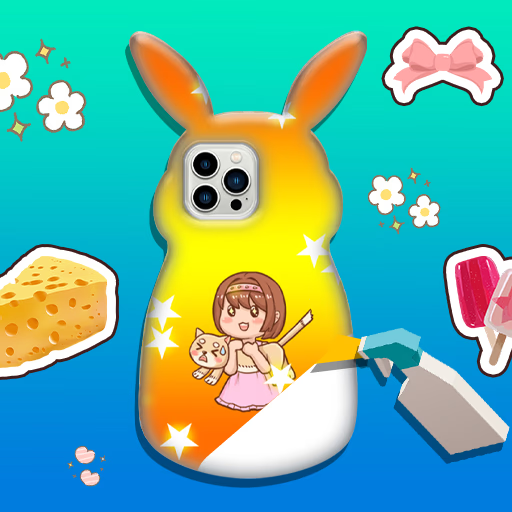
फोन केस DIY 5
इस फोन केस डिज़ाइनर को क्या अलग बनाता है?
अन्य आर्ट गेम्स के विपरीत,
फोन केस DIY 5 में एक मजबूत 3D रेंडरिंग है जो आपको अपने फोन केस डिज़ाइन को कई कोणों से घुमाने और देखने की सुविधा देती है। एल्बम फ़ंक्शन का जोड़ का मतलब है कि आप अपनी रचनाओं को सहेज सकते हैं और फिर से देख सकते हैं,
जिससे रचनात्मकता और व्यक्तिगत अभिव्यक्ति को बढ़ावा मिलता है। स्टिकर, पैटर्न और सजावटी टूल का एक विस्तृत चयन कस्टमाइज़ेशन के लिए अनंत संभावनाएँ सुनिश्चित करता है।
आप फोन केस DIY 5 में डिज़ाइन कैसे बनाते हैं?
इंटरफ़ेस उपयोग में सरल है, ऑन-स्क्रीन बटन और ड्रैग-एंड-ड्रॉप विकल्पों के साथ। अपना बेस रंग चुनें, फिर कला, डिकल्स और मज़ेदार एक्सेसरीज़ की परतें जोड़ें। गेम आपको हर चरण में मार्गदर्शन करता है,
जिससे यह छोटे खिलाड़ियों के लिए सुलभ और नए लोगों के लिए आसान बन जाता है। कोई समय सीमा नहीं है, इसलिए आप संतुष्ट होने तक विभिन्न संयोजनों के साथ स्वतंत्र रूप से प्रयोग कर सकते हैं।
क्या आप अपनी फोन केस कला साझा या सहेज सकते हैं?
हाँ, फोन केस DIY 5 में एक इन-गेम एल्बम शामिल है। प्रत्येक तैयार डिज़ाइन को सहेजा जा सकता है और बाद में समीक्षा की जा सकती है,
जिससे आप अपनी प्रगति और रचनात्मकता को ट्रैक कर सकते हैं। कुछ संस्करण आपको दोस्तों के साथ साझा करने या डिजिटल कला संदर्भ के रूप में उपयोग करने के लिए छवियों को डाउनलोड करने की भी अनुमति दे सकते हैं।
फोन केस DIY 5 अनब्लॉक - मुफ्त ब्राउज़र गेम
फोन केस DIY 5 को बिना किसी डाउनलोड के ऑनलाइन मुफ्त खेलें। गेम स्कूल या कार्य नेटवर्क पर सुचारू रूप से चलता है, जिससे आप कभी भी, कहीं भी रचनात्मक फोन केस डिज़ाइन का आनंद ले सकते हैं।
फोन केस DIY 5 में लक्ष्य विभिन्न कला टूल, स्टिकर और सजावट का उपयोग करके अपने वर्चुअल फोन केस को डिज़ाइन और सजाना है।
रंग, पैटर्न और एक्सेसरीज़ चुनने के लिए अपने माउस या टैप नियंत्रण का उपयोग करें। फोन केस पर तत्वों को कस्टमाइज़ करने के लिए ड्रैग और ड्रॉप करें। सभी पक्षों को सजाने के लिए केस को 3D में घुमाएँ।
अपना डिज़ाइन पूरा करने के बाद, इसे अपने इन-गेम एल्बम में सहेजें। आप अपनी पिछली रचनाएँ देख सकते हैं या किसी भी समय एक नया डिज़ाइन शुरू कर सकते हैं।
विभिन्न संयोजनों के साथ प्रयोग करें और अपनी रचनात्मकता को चमकने दें। कोई टाइमर नहीं है, इसलिए प्रत्येक उत्कृष्ट कृति को पूर्ण करने में अपना समय लें।
गेम टिप्स
नए पैटर्न आज़माएँ - बोल्ड रंगों और अद्वितीय पैटर्न को मिलाएं ताकि डिज़ाइन अलग दिखें। स्टिकर का समझदारी से उपयोग करें - अतिरिक्त आकर्षण के लिए स्टिकर और सजावट को परत करें लेकिन भीड़ से बचें।
विवरण के लिए घुमाएँ - छूटे हुए स्थानों को पकड़ने या हर कोण पर विवरण जोड़ने के लिए हमेशा केस को घुमाएँ। अपने पसंदीदा सहेजें - अपनी सर्वश्रेष्ठ रचनाओं का ट्रैक रखने के लिए एल्बम सुविधा का उपयोग करें।
विभिन्न संयोजनों का परीक्षण करें - हर सत्र में नए विचारों के लिए एक्सेसरीज़ और पृष्ठभूमि को मिलाएं।