
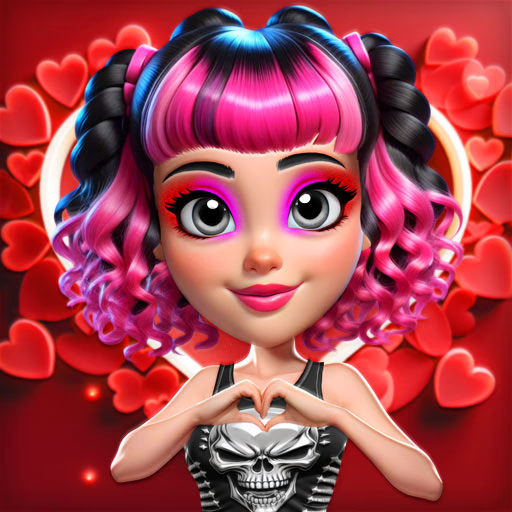
Vibrant Hearts Glamour vs Punk
Vibrant Hearts Glamour vs Punk is a free-to-play dress-up game where you style two best friends with opposing aesthetics. Using your mouse in this browser game, you'll explore romantic glamour and edgy punk wardrobes to create the perfect Valentine's Day party looks.
It's a creative challenge that tests your fashion sense across two completely different styles.
What Are the Two Main Styles?
The game centers on the contrast between two distinct fashion identities. One friend embraces the glamour style, featuring a wardrobe filled with pastel colors, flowing dresses, delicate jewelry, and elegant accessories.
Your goal here is to create a soft, romantic look that's perfect for a sweetheart.
Her best friend represents the punk rock aesthetic. Her closet is packed with leather jackets, ripped fabrics, band t-shirts, and chunky boots. To style her effectively, you'll use darker colors, bold patterns, and spiky accessories to build a rebellious and confident outfit.
How Do You Customize Each Character?
Vibrant Hearts Glamour vs Punk goes beyond just picking outfits. You have full control over each girl's final look. Start with their makeup, applying eyeshadow, lipstick, and blush that matches their unique vibe-soft and shimmery for glamour, dark and dramatic for punk.
Next, you can choose their hairstyle, from elegant updos to wild, colorful cuts. The right hair sets the entire tone for the fashion you choose.
As a final touch, you can even pick a cute cat companion for each friend, adding another layer of personality to your creation.
Vibrant Hearts Glamour vs Punk Unblocked - Free Browser Game
You can play Vibrant Hearts Glamour vs Punk for free directly in your web browser. Because it's an HTML5 game, there are no downloads or installations required.
It works on most modern devices and is unblocked for school or work networks, giving you easy access to a fun fashion experience anytime.
The goal in Vibrant Hearts Glamour vs Punk is to create complete fashion looks for two best friends with opposite styles: one glamour, one punk. Your task is to style them both for a Valentine's Day party, ensuring each outfit reflects her unique personality.
All actions are controlled with your mouse. You'll click through different tabs for makeup, hairstyles, clothing, and accessories. Click on an item in the wardrobe panel to apply it to the character on screen.
Start by selecting a character to style. First, apply her makeup, including eyeshadow, lipstick, and blush. Next, choose a hairstyle that fits her theme. Then, browse the extensive wardrobe to mix and match tops, bottoms, dresses, and shoes.
Finish the look with accessories and a cute cat companion before moving on to the next friend.