
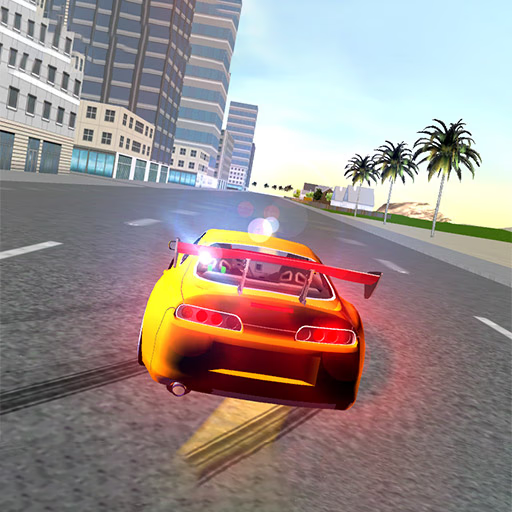
Supra Drift 2
Supra Drift 2 is a 3D driving simulation game where you take control of a customizable Toyota Supra. This browser-based racing game focuses entirely on the art of drifting, challenging you to score points by sliding through corners across four distinct maps.
Using simple keyboard controls, players can tune their vehicle's performance and appearance to master the physics-based driving mechanics.
How Do You Score Points in Supra Drift 2?
The core objective in Supra Drift 2 is to accumulate the highest score possible by executing and maintaining drifts. When you initiate a drift, a point counter and multiplier appear.
The longer and more extreme the angle of your slide, the faster your points will increase.
The key to a massive score is the multiplier. To build it up, you must link your drifts together without crashing or straightening out for too long. A collision with a wall or obstacle will immediately reset your multiplier, forcing you to start over.
Mastering throttle control and handbrake timing is essential for chaining combos across the map.
Customizing Your Ride
While the game focuses on one iconic car, it offers a robust garage for personalization. You can change the body color, apply different paint finishes, and swap out the rims for a new look.
Visual modifications also include a variety of spoilers and body kits to create a unique style for your Supra.
Beyond aesthetics, you can also tune your car's performance. The garage allows for adjustments to suspension height and stiffness, camber, and other handling characteristics.
Experimenting with these settings can dramatically alter how the car behaves, allowing you to find the perfect setup for your drifting style.
What Are the Different Maps?
Supra Drift 2 features four different environments, each offering a unique set of challenges and opportunities. You can tear through the streets of a detailed city, navigate the tight containers of a port, or practice your technique in a wide-open drift arena.
There's also an off-road track that tests your ability to control the car on a looser surface, providing plenty of variety to keep the gameplay fresh.
Supra Drift 2 Unblocked - Free Browser Game
You can play Supra Drift 2 directly in your web browser with no downloads required. As an HTML5 game, it loads quickly and is accessible on most modern devices, including Chromebooks.
This makes it easy to play anywhere, even on school or work networks that might restrict access to other gaming sites.
The main goal in Supra Drift 2 is to score as many points as possible by performing stylish drifts. Your score is determined by the angle, speed, and duration of your slides.
Try to link drifts together to build up your score multiplier for a massive combo.
Control your car using either WASD or the arrow keys for acceleration, braking, and steering. To initiate a drift, use the spacebar for the handbrake. You can also press C to cycle through different camera angles to find the view that works best for you.
There isn't a formal progression system, but the game is about self-improvement and high scores. Spend time in the garage to customize your Supra's appearance and tune its performance.
Experiment with different settings to see how they affect your car's handling on the four unique maps.
Game Tips
Master the Handbrake Tap - A quick tap of the spacebar is often enough to get the car sideways. Holding it too long will cause you to lose too much speed or spin out.
Control with the Throttle - Once you're in a drift, use gentle taps of the accelerator (W key) to maintain your angle and momentum. Full throttle will often lead to a spin. Link Your Drifts - The key to a high score is the multiplier.
Plan your lines so you can transition from one corner's drift directly into the next without straightening the car. Know the Maps - Each of the four environments has prime locations for long, high-scoring drifts.
Spend some time just driving around to learn the best corners. Tune for Your Style - Don't be afraid to experiment in the garage. A softer suspension might help on the off-road track, while a stiffer setup could be better for the city streets.
Use Different Cameras - Press the C key to change your perspective. A chase camera might be good for general driving, but a closer view can help you better judge your car's angle during a drift.