
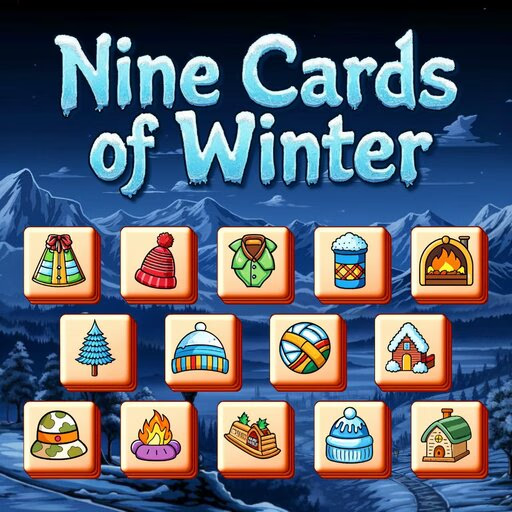
Nine Cards Of Winter
Nine Cards of Winter is a casual tile-matching puzzle game with a festive Christmas theme. Played in a browser, this HTML5 game challenges you to clear a board of stacked tiles by selecting them one at a time.
Using your mouse or touch controls, you'll move tiles to a special 9-slot tray, aiming to collect sets of three identical tiles to remove them and make space for more.
How Does the 9-Card Tray Work?
The central mechanic of Nine Cards of Winter revolves around the holding tray at the bottom of your screen. This tray can hold a maximum of nine tiles at any given time.
Every tile you click on the main board is immediately transferred to an empty slot in this tray.
When you successfully gather three identical tiles in the tray, they automatically vanish, freeing up those three slots. The challenge comes from managing this limited space. If you fill all nine slots without making a match, the game ends.
This system requires you to think several moves ahead, ensuring you don't trap yourself with a full tray and no possible matches.
Strategic Tile Selection
Success in Nine Cards of Winter isn't just about spotting obvious matches. Much like Mahjong Solitaire, you can only select tiles that are not covered by others. This means you must prioritize clearing the top layers to reveal the tiles underneath.
It's often better to work on uncovering a tile you need for a pair you're holding than it is to make an easy, immediate match that doesn't help you progress.
Before adding a tile to your tray, scan the board to see if you have a clear path to its two partners. Filling your tray with single tiles from different sets is a quick way to run out of space.
Careful planning and a bit of foresight are your best tools for clearing each level.
Nine Cards Of Winter Unblocked - Free Browser Game
You can enjoy Nine Cards of Winter completely free in your web browser. There's nothing to download or install, so you can start playing right away.
Because it's an HTML5 game, it works on most modern devices and networks, including those at school or work, making it a perfect choice for a quick and relaxing puzzle break.
The goal in Nine Cards of Winter is to clear the entire board by matching all the festive tiles. You must eliminate every single tile to complete the level and advance to the next puzzle.
The controls are simple and intuitive. On a desktop, use your mouse to point and left click on the tiles you want to select. On a mobile device, you can just tap the tiles with your finger.
When you click or tap on a tile, it moves to your personal tray at the bottom of the screen. This tray can hold up to nine tiles.
Once you have three identical tiles in the tray, they will automatically match and disappear, freeing up space. If your tray becomes completely full with nine tiles before you can make a match, you will lose the game.
As you play, you'll have access to helpful power-ups. An 'undo' button lets you reverse your last move, and a 'shuffle' button will rearrange the tiles on the board, which is useful when you feel stuck.
Game Tips
Plan Your Tray - Your 9-slot tray is your most valuable resource. Avoid adding a tile unless you have a clear plan to find its two mates. Focus on Blockers - Prioritize removing tiles that are sitting on top of many other tiles.
Freeing up these key pieces will open up more options for future moves. Look Before You Leap - Before starting a match, quickly scan the board for the other two tiles.
Don't commit a tile to your tray if its partners are buried deep under other pieces. Save Your Shuffles - The shuffle power-up is very powerful but limited.
Try to solve the puzzle without it and save it for a moment when you have absolutely no other moves available. Empty Space is Key - Keeping a few empty slots in your tray provides flexibility.
It allows you to temporarily hold a tile while you dig for another one to complete a different set.