
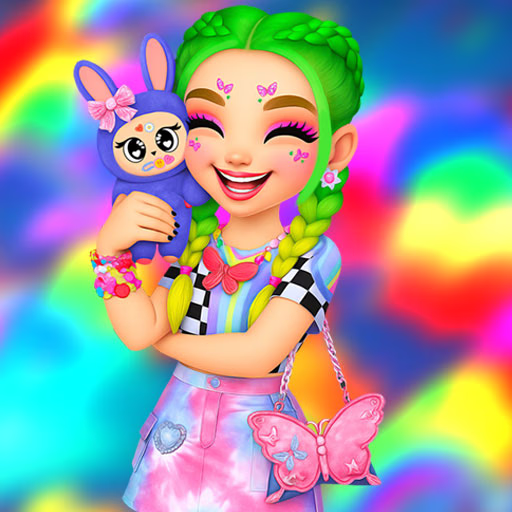
Labubu And Me
Labubu And Me is a casual dress-up and monster-styling game where you customize both a cute creature named Labubu and your own personal avatar. Using simple point-and-click controls, you can select from a wide array of options for fur colors, facial features, clothing, and accessories.
This browser-based HTML5 game is perfect for players who enjoy creative expression and character design.
What Customization Options Are Available?
In Labubu And Me, you get to be the lead stylist for two characters. For your monster companion, Labubu, you can change its fur color, select from various eye shapes and colors, and dress it in different tops.
You can also add fun stickers and accessories like hats or glasses to give it a unique personality.
For your own avatar, the options are just as extensive. You'll find a wardrobe full of different outfits, a wide selection of hairstyles and colors, and a complete makeup kit.
You can apply eyeshadow, blush, and lipstick to create a look that either matches or playfully contrasts with your Labubu.
Create Your Perfect Pair
The core fun of Labubu And Me comes from designing the duo. Will you create a matching pair with coordinated outfits and color schemes? Or will you design two characters with completely opposite styles? The creative freedom is all yours.
Once you've perfected both looks, you can bring them together for a photoshoot. The game lets you choose from several backgrounds to set the perfect scene for your newly styled pair. It's a great way to capture your creative work and share your favorite designs.
Labubu And Me Unblocked - Free Browser Game
You can play Labubu And Me for free directly in your web browser. There are no downloads or installations required, so you can start styling right away.
Because it's a browser-based game, it works well on most school or work networks that might restrict other types of games, making it easily accessible for a quick creative session.
The goal in Labubu And Me is to use your creativity to style two characters: a monster named Labubu and your own avatar. Customize their appearance from head to toe and then pose them for a final photo.
The game is controlled entirely with the mouse. You use your cursor to navigate the menus and left click to select different customization options like clothing, hairstyles, makeup, and accessories. Arrows or icons on the screen will guide you through the different categories.
First, you will focus on styling Labubu. You'll go through stages to pick its fur, eyes, clothes, and other details. Once Labubu is complete, the game will transition to the avatar creator, where you will design your own character's look.
The final step is to choose a background and take a snapshot of your duo.
Game Tips
Color Coordinate - Try matching Labubu's fur color to an item in your avatar's outfit for a polished, cohesive look. Layer Accessories - Don't just pick one accessory for Labubu. Combining a hat with glasses or stickers can create a more detailed and interesting character.
Balance Your Designs - If you give Labubu a very busy and colorful design, consider a simpler outfit for your avatar to make the monster stand out, or vice-versa.
Experiment with Makeup - The makeup options for your avatar can dramatically change the mood of the final picture. Try bold colors for a fun look or subtle tones for a more casual feel.
Use the Backgrounds - The background you choose for the final photo can enhance your theme. Pick one that complements the colors and styles you've chosen for your characters.