
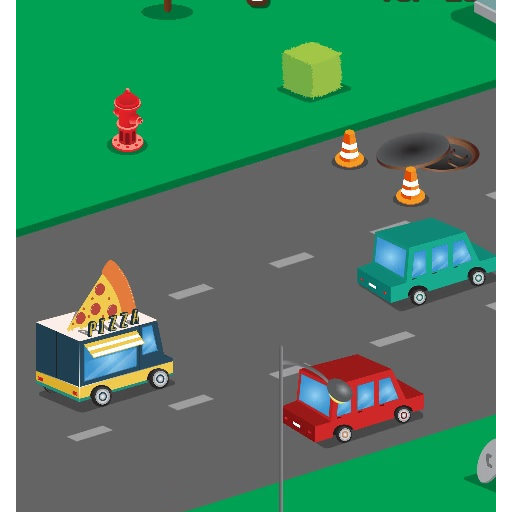
Food Rush Traffic
Food Rush Traffic is a browser-based racing game where you guide a speedy food delivery vehicle through busy city streets, dodging cars and obstacles to deliver orders on time.
This casual driving experience challenges players with fast-paced traffic navigation and simple controls, making it accessible for quick play sessions on any device.
How Does Food Rush Traffic Work?
In Food Rush Traffic, you control a delivery car using directional keys, weaving through endless lanes of city traffic while aiming to collect coins and avoid collisions.
The game uses an endless runner format similar to classic titles like Traffic Racer, emphasizing reflexes and timing as traffic patterns shift rapidly.
Your primary goal is to rack up the highest score possible by driving as far as you can while picking up bonuses scattered along the route.
Each run tests your ability to react quickly and make split-second decisions, making every playthrough slightly different and engaging for both new and returning players.
What Makes Food Rush Traffic Stand Out?
Food Rush Traffic combines the excitement of vehicle games with a fun food delivery theme, putting you in the role of a speedy courier. Unlike typical endless runners, the game’s colorful graphics and food-themed visuals offer a lighthearted twist.
Bonus power-ups and high score tracking add replay value as you try to beat your best distance or compete with friends.
Mastering Traffic Patterns and Obstacles
Quick reflexes are essential as unpredictable traffic flows require you to switch lanes constantly. Special vehicles and sudden obstacles keep you on your toes, rewarding attentive players who can anticipate gaps and react faster than the competition.
Collecting coins not only boosts your score but may also unlock cosmetic upgrades or power-ups in some versions.
Food Rush Traffic Unblocked - Free Browser Game
Play Food Rush Traffic free online, no download needed. The HTML5 game works smoothly across browsers, including on school or work networks, letting you enjoy fast-paced racing anytime, anywhere.
The goal in Food Rush Traffic is to drive your delivery vehicle through a busy city street, avoiding other cars and obstacles to deliver food orders as far as possible. Try to collect coins along the way for extra points.
Use the arrow keys to steer your vehicle left or right between lanes. On some devices, you can also use touch controls to swipe and change lanes.
To start playing, press the play button on the main menu. Your vehicle will begin moving forward automatically. Stay alert and react quickly to changing traffic patterns as the speed increases.
Watch for special power-ups or coins that can boost your score. Colliding with other vehicles or obstacles will end your run, so timing and focus are key to reaching a high score.
Game Tips
Stay centered - Keep your vehicle near the middle lanes for more escape options. Look ahead - Scan upcoming traffic to plan your next lane change early. Collect coins - Grab as many coins as possible for a higher score.
Use short taps - Light taps on arrow keys or swipes help you adjust direction without oversteering. Avoid last-second moves - Sudden lane changes near obstacles can cause crashes.