
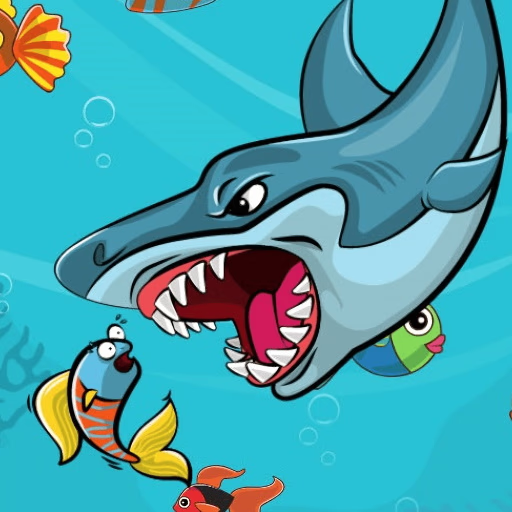
Fat Shark
Fat Shark is an engaging HTML5 survival game where you control a perpetually hungry shark on a quest to devour as many smaller fish as possible.
Players navigate the ocean, consuming prey to grow in size and accumulate points, all while skillfully avoiding larger, more dangerous marine life. This browser-based experience offers a straightforward yet challenging mechanic perfect for quick gaming sessions.
What is Fat Shark's core gameplay loop?
The central mechanic in Fat Shark revolves around a simple food chain. You begin as a moderately sized shark, constantly losing health. To survive and thrive, you must eat smaller fish that swim around you.
Each successful meal not only restores a small amount of your shark's health but also contributes to its growth. As your shark gets bigger, it can consume larger types of fish, leading to higher scores and a more dominant presence in the water.
However, this growth comes with a catch: the fatter your shark becomes, the slower and less agile it gets. This introduces a strategic element where you must balance your hunger with your maneuverability, making every bite count.
The goal is to survive for as long as you can, achieving the highest possible score before you either starve or fall prey to a bigger threat.
How do you control the Fat Shark?
Controlling your ravenous shark in Fat Shark is intuitive and accessible, designed for quick pick-up-and-play. You use your mouse to guide the shark around the aquatic environment. Simply move your mouse cursor in the direction you want your shark to swim, and it will follow.
To consume smaller fish, you just need to position your shark over them, and it will automatically eat them. This direct control scheme allows you to focus purely on strategic movement and timing your meals.
What challenges does Fat Shark present?
While the concept is simple, Fat Shark presents several escalating challenges. The most immediate threat is starvation; your shark's health bar steadily depletes, requiring continuous feeding.
Beyond hunger, the ocean is full of predators much larger than your current size, which you must evade at all costs. Colliding with these bigger fish means instant game over.
Furthermore, as your shark grows increasingly large from its feasting, its movement speed decreases significantly, making it harder to dodge dangers and chase agile prey.
This mechanic forces players to adapt their strategy, deciding when to take risks for food and when to play it safe.
Fat Shark Unblocked - Free Browser Game
Fat Shark is a completely free, browser-based game, meaning you don't need any downloads or installations to start playing.
It runs directly in your web browser, making it easily accessible on various devices, including those on school or work networks that might block other gaming platforms. Enjoy this simple yet addictive survival experience whenever you want a quick gaming fix.
The goal in Fat Shark is to survive as long as possible by eating smaller fish, growing your shark, and achieving the highest score. You need to keep your shark fed to prevent its health from depleting.
Control your shark using the mouse. Move your mouse cursor in the direction you want your shark to swim, and it will follow your pointer across the screen.
As you eat smaller fish, your shark will grow bigger and gain points. Larger sharks can eat larger fish, but also become slower and less agile, making it harder to avoid predators.
Be cautious of bigger fish and other marine dangers. Hitting a larger creature will end your game instantly. Prioritize eating fish smaller than you while actively dodging anything larger.
Game Tips
Stay Mobile - Keep your shark moving constantly, even when not actively chasing food, to avoid getting trapped or hit by predators. Prioritize Small Fish - In the early stages, focus on consistently eating the smallest fish to maintain health and grow gradually.
Observe Predator Patterns - Watch how larger fish move. Many follow predictable paths, allowing you to plan safe routes. Manage Your Size - As you grow, you'll become slower. Be extra careful when you're very fat; your turning radius and speed are significantly reduced.
Don't Get Greedy - Sometimes it's better to let a difficult-to-reach fish go than to risk colliding with a larger predator.
Use the Edges - The edges of the screen can sometimes offer momentary safety from direct threats, but don't stay there too long as you might get cornered.