
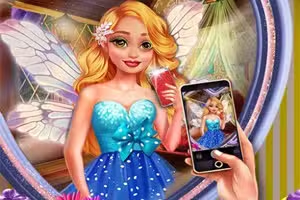
Fairy Insta Selfie
Fairy Insta Selfie - Play Free Online | Sonsaur
Fairy Insta Selfie is a casual dress-up and decoration simulation game you can play right in your browser. In this HTML5 title, your goal is to help a magical fairy get ready for the perfect social media photo.
Using simple click controls, you'll choose everything from the room's wallpaper and mirror to the fairy's hairstyle and outfit.
Decorate the Perfect Selfie Room
Before the fairy can strike a pose, you need to set the stage. The first part of Fairy Insta Selfie involves interior design. You get to choose from several distinct categories to create a unique background for the photo.
You'll start by selecting a wallpaper that fits the mood you're going for- from sparkly and magical to chic and modern. Next, you pick a mirror frame that complements the wall. Finally, you can add decorative items to the table to complete the scene.
Each choice helps build the perfect aesthetic for the final picture.
Create a Magical Fairy Look
Once the room is ready, it's time for the fashion show. The dress-up phase is where you can let your creativity shine. You have complete control over the fairy's appearance, starting with her hairstyle.
You can browse through different cuts and colors to find the one that suits her best.
After settling on the hair, you'll move on to the main outfit. Mix and match stylish tops and bottoms, or choose a beautiful one-piece dress. To complete the ensemble, don't forget the accessories!
A pair of magical wings or a sparkling necklace can be the final touch that makes the look truly special.
Fairy Insta Selfie Unblocked - Free Browser Game
You can play Fairy Insta Selfie for free directly on Sonsaur. Since it's an HTML5 game, there's nothing to download or install.
It runs in your web browser, making it easy to play on a school Chromebook, a work computer, or any device with an internet connection without any blocks.
Your goal in Fairy Insta Selfie is to help a fairy prepare for the perfect picture by styling her room and her outfit.
The game is controlled entirely with your mouse. Simply left click on the icons for each category (like wallpaper, hair, or tops) to see the options. Click on the item you want to apply it to the scene or the fairy.
Progression is straightforward. First, you'll complete the room decoration stage by choosing a wallpaper, a mirror, and a table decoration. After that, you'll move to the dress-up stage, where you'll pick a hairstyle, an outfit, and accessories.
Once you've made a selection in every category, the game is complete and you'll see the final selfie.
Game Tips
Theme Harmony - Try to match the room's decor with the fairy's outfit for a more cohesive and stylish photo. Color Coordination - Pay attention to the color palette. A well-coordinated color scheme between the background and the clothes makes the selfie pop.
Accessorize Wisely - Don't forget the accessories! A unique necklace or pair of wings can complete the look and add a magical touch. Experiment Freely - There's no wrong answer. Click through all the options for hair and clothing before settling on a final look.
You might discover a great combination. Focus on the Frame - The mirror choice affects the overall feel of the selfie. Pick one that complements the fairy's hairstyle and chosen aesthetic.