
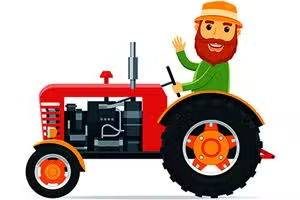
Cartoon Farm Tractors
Cartoon Farm Tractors is a relaxing online jigsaw puzzle game where you assemble cheerful, vibrant images of farm equipment. This browser-based HTML5 game uses a simple drag-and-drop mouse control system, making it perfect for kids and anyone seeking a casual brain-teaser.
It offers a classic jigsaw experience without timers or pressure.
What Kind of Images Will I Assemble?
Every puzzle in Cartoon Farm Tractors features a bright and friendly scene from a bustling farm. You'll put together pictures of smiling tractors, some hauling hay bales, others parked by a big red barn, or even interacting with cute farm animals.
The art style is bold and colorful, with chunky designs that are especially appealing for younger players.
The game presents a gallery of different tractor-themed images for you to choose from. Once you select a picture, you get to decide how challenging you want the puzzle to be, ensuring a fun experience for all skill levels.
How Do Difficulty Levels Work?
Customizing the challenge is a core part of the fun in Cartoon Farm Tractors. Before you begin assembling, you can choose from four different difficulty settings. These settings determine the total number of pieces in the puzzle: 16, 36, 64, or 100 pieces.
The 16 and 36-piece options are great for a quick, calming session or for children who are just learning how jigsaws work. For more experienced puzzle solvers looking for a greater challenge, the 64 and 100-piece versions provide a much more intricate task.
This flexibility allows you to enjoy the game at your own pace.
Cartoon Farm Tractors Unblocked - Free Browser Game
You can play Cartoon Farm Tractors for free right in your web browser with no downloads or installation necessary.
Because it's a lightweight HTML5 game, it runs smoothly on most devices and can be accessed on school or work networks, making it a perfect choice for a quick and fun break.
The goal in Cartoon Farm Tractors is to successfully complete a jigsaw puzzle. You must arrange all the scattered pieces correctly to form a complete picture of a cartoon tractor on a farm.
This game is played entirely with your mouse. Use the cursor to point at a puzzle piece, then use a left click to hold it. While holding the click, drag the piece across the board and release it where you think it belongs.
If two correct pieces touch, they will snap together.
First, choose an image you like from the main menu. Next, select a difficulty level, which sets the number of pieces to either 16, 36, 64, or 100. Continue placing pieces until the entire image is revealed.
Game Tips
Build the Frame First - Find all the pieces with a flat edge. Assembling the border gives you a defined space to work inside, making the rest of the puzzle easier.
Sort by Color - Before you start placing pieces, group them by their main color. Put all the blue sky pieces in one pile, the red tractor pieces in another, and so on.
Focus on Details - Look for distinctive parts of the image, like a tractor's wheel, a face, or a barn window. Assembling these small sections first can create helpful anchor points. Match by Shape - Pay attention to the unique shapes of the piece connectors.
Sometimes matching a specific 'in' with a specific 'out' is faster than just looking at the picture. Work Inward - Once your frame is built, try to connect pieces to it. Working from the outside edge toward the center is often a more organized approach.