
Baby Beauty Salon
How Does Baby Beauty Salon Work?
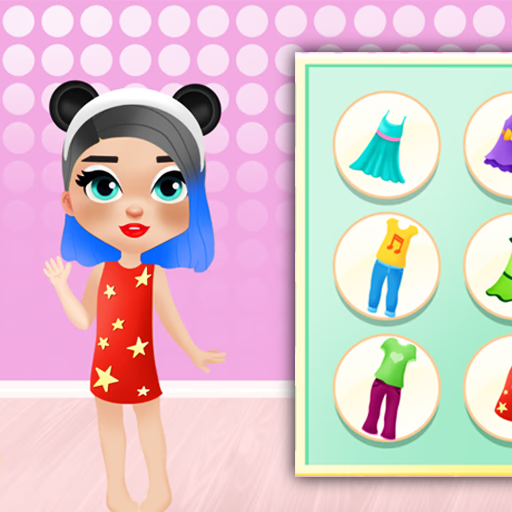
Players begin by selecting one of four adorable characters to transform. Each baby girl serves as a canvas for your makeover skills, from applying blush and lipstick to choosing outfits and accessories.
Baby Beauty Salon uses a simple mouse-based interface, making it highly accessible for all ages.
What Customization Options Are Available?
Baby Beauty Salon features an extensive variety of makeup choices, hairstyles, and clothing. You can combine colors, patterns, and jewelry to create unique styles. The drag-and-drop system lets you see each change instantly, encouraging you to try new combinations without any risk.
Is Baby Beauty Salon Good for Kids?
The intuitive controls and gentle pace make Baby Beauty Salon a great choice for younger players. There are no time limits or scores, so you can focus on creativity and self-expression. All content is wholesome and designed to promote imaginative play.
Baby Beauty Salon Unblocked - Free Browser Game
Enjoy Baby Beauty Salon online for free without downloads. It runs smoothly on most school and work networks, so you can jump into a creative session whenever you want.
The goal in Baby Beauty Salon is to give adorable baby girls stylish makeovers using makeup, hairstyles, and accessories.
Use your mouse or tap to select a character and navigate menus. Click or tap on cosmetics, outfits, or accessories, then drag and drop them onto the character.
Mix and match items to create your favorite looks. There are no timers or scores, so take your time exploring the different options.
Try out unique color combinations and experiment with various styles to discover new possibilities each playthrough.
Game Tips
Experiment Freely - Try out all makeup and accessory options to find creative combos. Use Drag-and-Drop - Drag items directly onto the character for instant previews. Change Hairstyles Often - Switching hair styles can totally transform your look.
Mix Patterns and Colors - Don't be afraid to blend bold patterns for a standout makeover. Reset if Needed - Use the reset option if you want to start a new style from scratch.