
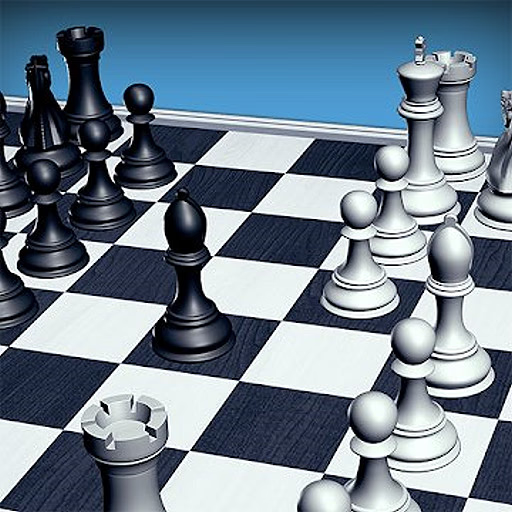
Real Chess
Real Chess on klassinen strateginen lautapelisimulaatio, jota voit pelata suoraan selaimessasi. Tämä HTML5-peli tarjoaa puhtaan ja suoraviivaisen kokemuksen sekä uusille että kokeneille pelaajille. Voit haastaa tietokonevastustajan neljällä säädettävällä vaikeustasolla tai kilpailla ystävää vastaan paikallisessa kaksinpelitilassa.
Yksinkertaisilla hiiriohjaimilla ja realistisella 2D-laudalla Real Chess tarjoaa täydellisen tavan harjoitella taktiikkaasi ja nauttia ajattomasta kuninkaiden pelistä.
Miten tekoälyn vaikeustaso toimii?
Real Chess sisältää mukautuvan tekoälyvastustajan, joka vastaa taitotasoasi. Ennen kuin aloitat ottelun tietokonetta vastaan, voit valita yhden neljästä eri vaikeusasetuksesta. Helpoin taso sopii erinomaisesti täysin aloittelijoille, jotka oppivat perusliikkeitä ja sääntöjä.
Kun lisäät vaikeutta, tekoälystä tulee entistä haastavampi vastustaja. Se laskee enemmän siirtoja etukäteen, tunnistaa monimutkaisempia uhkia ja käyttää kehittyneitä strategioita. Korkein vaikeustaso tarjoaa vakavan haasteen, joka testaa jopa kokeneiden shakinpelaajien taktista tietoisuutta.
Shakin sääntöjen hallitseminen
Tämä peli noudattaa kansainvälisiä shakin sääntöjä. Lopullinen tavoite on saavuttaa 'matti' asettamalla vastustajan kuningas asemaan, jossa se on uhattuna ('shakissa') eikä sillä ole laillisia siirtoja paeta.
Tavoite Real Chessissä on tehdä matti vastustajan kuninkaasta. Kuningas on matissa, kun se on uhattuna vangitsemisesta eikä ole laillista siirtoa uhan poistamiseksi.
Ohjaus hoidetaan kokonaan hiirellä. Käytä hiirtä vasemmalla napsauttamalla nappulaa, jota haluat siirtää. Kaikki sen mahdolliset lailliset siirrot korostetaan laudalla. Napsauta sitten vasemmalla yhtä korostetuista ruuduista suorittaaksesi siirron.
Jokainen peli alkaa valkoisen tekemällä ensimmäisellä siirrolla, jota seuraa musta, ja pelaajat vuorottelevat. Jatkat siirtojen tekemistä, vastustajan nappuloiden lyömistä ja omien puolustamista, kunnes toinen pelaaja saavuttaa matin, syntyy pattitilanne tai pelaaja luovuttaa.
Pelivinkit
Hallitse keskustaa - Aseta sotilaasi ja nappulasi hallitsemaan laudan keskusruutuja (d4, e4, d5, e5) saadaksesi strategisen edun. Kehitä nappulasi - Avauksessa keskity siirtämään ratsusi ja lähettisi pois aloitusruuduiltaan valmistellaksesi hyökkäyksiä ja hallitaksesi enemmän laudasta.
Tee linnoitus aikaisin - Linnoitus on erikoissiirto, joka suojaa kuninkaasi sotilasmuurin taakse ja tuo tornisi aktiivisempaan asemaan. Yritä tehdä se ensimmäisten 10 siirron aikana. Ajattele ennen kuin siirrät - Tarkista aina vastustajan viimeinen siirto ja harkitse heidän mahdollisia uhkiaan ennen kuin päätät omasta siirrostasi.
Yksi virhe voi hävitä pelin. Käytä tekoälyä harjoitteluun - Aloita helpoimmalla vaikeustasolla oppiaksesi pelin kulun.