
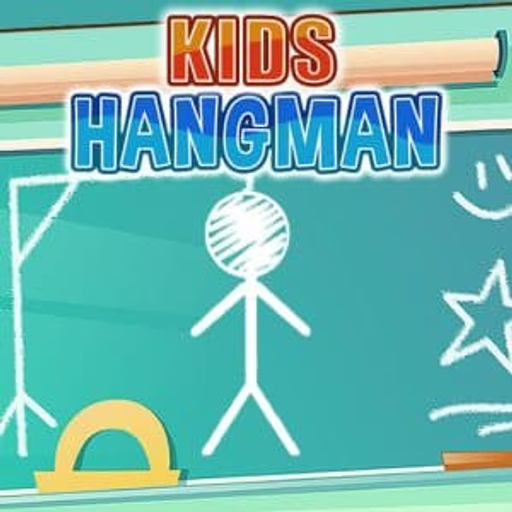
키즈 행맨
키즈 행맨은 어린이들을 위해 고안된 매력적인 HTML5 단어 퍼즐 게임으로, 전통적인 행맨 게임을 단순화하고 가족 친화적으로 재해석했습니다. 플레이어는 다양한 카테고리에서 숨겨진 단어를 맞추기 위해 글자를 추측하며, 매력적인 동물 캐릭터와 교육적인 어휘력 향상에 중점을 둡니다. 이 브라우저 기반 게임은 캐주얼하고 인터랙티브한 형식으로 철자와 인식 능력을 향상시킵니다.
키즈 행맨은 어휘력 향상에 어떻게 도움이 되나요?
이 교육적인 단어 게임은 아이들이 즐거운 방식으로 어휘력을 확장하고 철자법을 향상시키도록 장려합니다. 각 숨겨진 단어는 동물, 음식, 일반적인 사물과 같은 카테고리에 걸쳐 신중하게 선별된 어린이 친화적인 용어 목록에서 나옵니다.
글자를 올바르게 추측하면 단어 내의 모든 해당 글자가 채워집니다. 이러한 즉각적인 피드백은 초기 문해력에 중점을 둔 인기 교육 앱과 유사하게 글자-소리 상관관계 및 단어 구조를 강화하는 데 도움이 됩니다. 4-8세 어린이에게 훌륭한 도구입니다.
키즈 행맨은 고전 행맨과 무엇이 다른가요?
전통적인 버전과 달리 키즈 행맨은 "교수대" 이미지를 제거하고, 잘못 추측할 때마다 그림을 점차 완성하는 친근한 고양이 캐릭터로 대체합니다. 이러한 부드러운 접근 방식은 어린 플레이어에게 게임이 긍정적이고 격려적인 상태를 유지하도록 보장하며, 벌칙보다는 학습 측면에만 집중합니다.
게임의 시각적 디자인은 밝고 다채로우며, 터치스크린 및 마우스 상호 작용에 최적화되어 있습니다. 화면에 표시된 알파벳에서 글자를 탭하거나 클릭하기만 하면 추측할 수 있어, 단어 퍼즐을 탐색하는 가장 어린 플레이어도 쉽게 접근할 수 있습니다.
단어 카테고리 선택하기
키즈 행맨은 여러 단어 카테고리를 제공하여 자녀의 관심사나 학습 목표에 맞춰 경험을 조정할 수 있습니다. "동물", "과일 및 채소" 또는 "일상 용품"과 같은 테마를 선택하여 플레이할 때마다 새로운 도전과 새로운 단어를 발견할 수 있습니다.
이러한 다양성은 게임을 계속해서 흥미롭게 유지하고 광범위한 어휘 노출을 보장합니다. 압박감 없이 언어 능력에 대한 자신감을 키우면서 새로운 단어를 소개하고 익숙한 단어를 강화하는 훌륭한 방법입니다.
키즈 행맨 언블록 - 무료 브라우저 게임
키즈 행맨은 웹 브라우저에서 직접 플레이할 수 있으며, 완전히 무료이며 다운로드할 필요가 없습니다. 이 HTML5 게임은 데스크톱, 노트북, 휴대폰을 포함한 대부분의 장치에서 원활하게 실행되므로 집, 학교 또는 이동 중에도 빠르고 교육적인 재미를 즐기기에 완벽합니다. 방해 없이 무제한으로 단어 추측 라운드를 즐기세요.
키즈 행맨의 주요 목표는 친근한 고양이 그림이 완성되기 전에 숨겨진 단어를 맞추는 것입니다. 단어의 모든 글자를 올바르게 식별하면 승리합니다.
마우스를 사용하여 화면에 표시된 글자를 클릭하세요. 터치 지원 장치에서는 글자를 탭하여 추측하세요.
각 올바른 글자 추측은 숨겨진 단어의 해당 위치를 채웁니다. 잘못 추측할 때마다 고양이 그림의 일부가 추가됩니다. 너무 많이 잘못 추측하면 게임이 끝나지만, 언제든지 새로운 라운드를 시작할 수 있습니다!
"동물" 또는 "음식"과 같은 다양한 단어 카테고리 중에서 선택하여 추측하는 단어의 테마를 변경하세요. 이렇게 하면 게임이 신선하게 유지되고 다양한 어휘를 목표로 할 수 있습니다.
게임 팁
모음부터 시작하세요 - E, A, I, O, U와 같은 일반적인 모음은 영어 단어에 자주 나타나므로, 먼저 추측하면 많은 글자를 빠르게 알아낼 수 있습니다. 일반적인 자음을 추측하세요 - 모음 다음에는 T, N, S, H, R, D와 같은 일반적인 자음을 시도해 보세요.
이 글자들은 다양한 단어에 자주 나타납니다. 단어 길이에 집중하세요 - 빈칸의 수는 단어에 몇 개의 글자가 있는지 알려줍니다. 이 정보를 사용하여 특히 짧은 단어의 경우 가능성을 좁히세요. 카테고리별로 생각하세요 - 카테고리(예: 동물)를 알고 있다면, 해당 테마와 관련된 단어를 떠올려 글자 추측에 도움을 받으세요.
패턴을 찾으세요 - 단어가 드러날 때 일반적인 글자 조합이나 접두사/접미사에 주의를 기울이세요. 예를 들어, "ING" 또는 "ED"가 끝에 나타날 수 있습니다. 무작위로 추측하지 마세요 - 잘못된 추측 하나하나가 패배에 더 가까워집니다. 어떤 글자가 단어에 있을 가능성이 가장 높은지 전략적으로 생각하세요.