
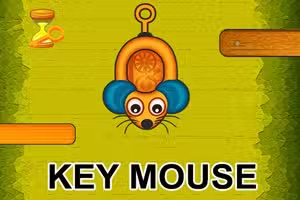
Mišji Ključ
Mišji Ključ je avanturistička puzzle igra u kojoj vodite miša kroz niz zamršenih labirinata manipulirajući i tipkovnicom i mišem.
Dizajnirana kao preglednička HTML5 igra, Mišji Ključ izaziva vašu logiku i reflekse dok rješavate prostorne zagonetke i izbjegavate zamke, što je čini odličnom za igrače koji uživaju u naslovima poput Fireboy and Watergirl ili Snail Bob.
Kako vas Mišji Ključ izaziva?
Svaka razina u Mišjem Ključu donosi nove prepreke, zaključana vrata i pametne prekidače koje treba aktivirati kombinacijom tipki sa strelicama i klikova mišem. Igra često zahtijeva odluke u djeliću sekunde, testirajući vašu koordinaciju i vještine rješavanja problema.
Kako napredujete, zagonetke postaju složenije, s pokretnim platformama i skrivenim prolazima koji nagrađuju kreativno razmišljanje.
Što Mišji Ključ čini posebnim?
Za razliku od tradicionalnih igara labirinta, Mišji Ključ jedinstveno integrira istovremeni unos s tipkovnice i miša, zahtijevajući više od vaše pažnje i spretnosti. Kombinacija elemenata platforme i mozgalica stvara osvježavajući zaokret na klasične puzzle avanture.
Ako ste savladali slične pregledničke puzzle igre, cijenit ćete dodatni sloj izazova ovdje.
Napredak i dizajn razina
Mišji Ključ ima postupnu krivulju težine, pri čemu svaka faza uvodi nove mehanike poput tlačnih ploča, nestajućih podova ili tempiranih prekidača. Skupljivi predmeti i bodovanje na temelju vremena potiču ponovno igranje.
Vaš cilj u Mišjem Ključu je sigurno provesti lik miša kroz svaki labirint, rješavajući zagonetke i stižući do izlaza što je brže moguće.
Koristite tipke sa strelicama za kretanje i kombinirajte ih s klikovima miša za interakciju s polugama, gumbima ili vratima. Neke zagonetke zahtijevaju istovremeno kretanje i klikanje.
Započnite odabirom razine iz izbornika. Kako napredujete, razine postaju zahtjevnije s novim mehanikama poput tempiranih prekidača i skrivenih zamki. Obratite pažnju na okolišne tragove kako biste pronašli rješenje.
Određene prepreke mogu zahtijevati držanje tipke sa strelicom dok klikate mišem, ili brzo izmjenjivanje između zadataka na tipkovnici i mišu. Praksa čini svaku razinu lakšom dok se prilagođavate hibridnim kontrolama.
Savjeti za igru
Koristite obje ruke - Koordinirajte kretanje tipkama sa strelicama i klikanje mišem za brže reakcije. Planirajte unaprijed - Pregledajte raspored labirinta prije nego što se počnete kretati kako biste uočili potencijalne zamke.
Vrijeme klikanja - Neki prekidači ili platforme su tempirani, pa brzo kliknite nakon što se postavite na mjesto. Izbjegavajte žurbu - Strpljenje vam pomaže uočiti opasnosti poput skrivenih šiljaka ili lažnih zidova.
Ponovno igrajte razine - Vratite se na ranije faze kako biste poboljšali vrijeme ili sakupili propuštene predmete.