
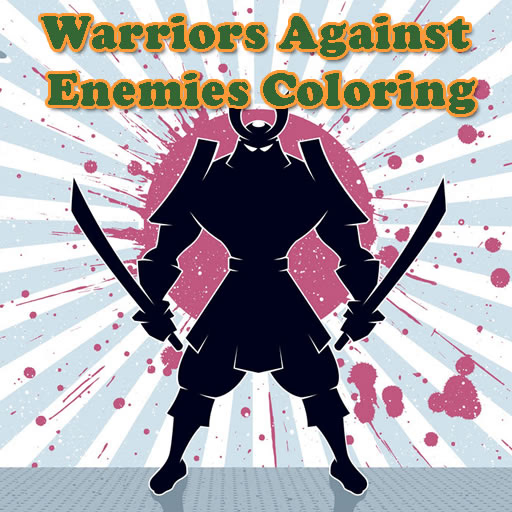
योद्धा बनाम शत्रु रंग पुस्तक
योद्धा बनाम शत्रु रंग पुस्तक एक आकर्षक HTML5 ब्राउज़र गेम है जो सभी उम्र के रचनात्मक खिलाड़ियों के लिए डिज़ाइन किया गया है, विशेष रूप से बच्चों और आकस्मिक गेमर्स के लिए। यह जीवंत रंग पुस्तक गेम आठ अलग-अलग,
एक्शन से भरे चित्र प्रस्तुत करता है जिनमें बहादुर योद्धा और उनके दुर्जेय शत्रु शामिल हैं, जो एक आरामदायक और कल्पनाशील अनुभव प्रदान करता है। खिलाड़ी सरल माउस या टच नियंत्रण का उपयोग करके रंग चुनते हैं और लागू करते हैं,
प्रत्येक अद्वितीय दृश्य को सीधे अपने वेब ब्राउज़र में जीवंत करते हैं।
योद्धा बनाम शत्रु रंग पुस्तक में कौन से रचनात्मक उपकरण उपलब्ध हैं?
जैसे ही आप योद्धा बनाम शत्रु रंग पुस्तक खेलते हैं, आपको एक उपयोगकर्ता-अनुकूल इंटरफ़ेस मिलेगा जो संतोषजनक रंग सत्र के लिए सभी आवश्यक चीजों से भरा हुआ है। गेम रंगों का एक विस्तृत स्पेक्ट्रम प्रदान करता है,
जिससे आप हर विवरण के लिए सही शेड चुन सकते हैं। आप केवल एक उपकरण तक सीमित नहीं हैं; जटिल रेखाओं और छोटे क्षेत्रों के लिए एक ब्रश है,
साथ ही बड़े वर्गों को जल्दी से रंगने के लिए एक फिल बकेट उपकरण भी है। यदि आप कोई गलती करते हैं या एक अलग पैलेट आज़माना चाहते हैं, तो त्रुटियों को सुधारने के लिए एक इरेज़र उपलब्ध है,
और एक साफ़ बटन आपको वर्तमान चित्र को पूरी तरह से रीसेट करने और नए सिरे से शुरू करने की अनुमति देता है।
योद्धा बनाम शत्रु रंग पुस्तक का आनंद कौन लेगा?
यह रंग पुस्तक गेम उन सभी के लिए एकदम सही है जो एक शांत, रचनात्मक आउटलेट की तलाश में हैं। बच्चे विशेष रूप से रोमांचक योद्धा विषयों और बिना गंदगी के अपने कलात्मक पक्ष को व्यक्त करने की स्वतंत्रता को पसंद करेंगे। एक सरल,
तनाव-राहत गतिविधि की तलाश करने वाले वयस्कों को भी योद्धा बनाम शत्रु रंग पुस्तक एक सुखद विचलन लगेगा। सहज ज्ञान युक्त नियंत्रण इसे बहुत छोटे खिलाड़ियों के लिए सुलभ बनाते हैं,
जबकि विस्तृत छवियां बड़े बच्चों और आकस्मिक कलाकारों को व्यस्त रखने के लिए पर्याप्त जटिलता प्रदान करती हैं। यह कल्पना को उत्तेजित करने और ठीक मोटर कौशल में सुधार करने का एक शानदार तरीका है।
योद्धा बनाम शत्रु रंग पुस्तक अनब्लॉक - मुफ्त ब्राउज़र गेम
आप योद्धा बनाम शत्रु रंग पुस्तक का आनंद सीधे अपने वेब ब्राउज़र में मुफ्त में ले सकते हैं, बिना किसी डाउनलोड या इंस्टॉलेशन की आवश्यकता के। इसका मतलब है कि यह स्कूल या काम पर खेलने के लिए एक उत्कृष्ट विकल्प है,
क्योंकि यह आमतौर पर नेटवर्क प्रतिबंधों को बायपास करता है। बस Sonsaur.com पर गेम लोड करें और जब भी आपको एक त्वरित, रचनात्मक ब्रेक की आवश्यकता हो, रंग भरना शुरू करें।
योद्धा बनाम शत्रु रंग पुस्तक में आपका मुख्य लक्ष्य विभिन्न रंगों और उपकरणों का उपयोग करके आठ अद्वितीय, एक्शन से भरे योद्धा दृश्यों को जीवंत करना है।
गेम के साथ बातचीत करने के लिए अपने माउस या टच नियंत्रण का उपयोग करें। पैलेट से रंग चुनने के लिए बायाँ क्लिक करें या टैप करें, अपना रंग उपकरण (ब्रश या फिल बकेट) चुनें, और फिर चित्र पर रंग लागू करें।
आठ उपलब्ध चित्रों में से एक का चयन करके शुरू करें। फिर,
नीचे विस्तृत पैलेट से अपना पसंदीदा रंग चुनें। विस्तृत काम के लिए ब्रश उपकरण या बड़े क्षेत्रों के लिए फिल बकेट के बीच चुनें। अपना चुना हुआ रंग लागू करने के लिए ड्राइंग की रेखाओं के भीतर क्लिक करें या टैप करें।
यदि आप पहले से लागू किए गए रंग को बदलना चाहते हैं,
तो बस एक नया रंग चुनें और पुराने पर क्लिक करें। रंग हटाने के लिए एक इरेज़र उपकरण भी है और वर्तमान छवि को पूरी तरह से पुनः आरंभ करने के लिए एक साफ़ बटन भी है।
गेम टिप्स
रंगों के साथ प्रयोग करें - अपने योद्धाओं और शत्रुओं के लिए असामान्य रंग संयोजन आज़माने से न डरें। फिल बकेट का समझदारी से उपयोग करें - बड़े, बंद क्षेत्रों के लिए, फिल बकेट उपकरण ब्रश की तुलना में बहुत तेज़ है।
अपना समय लें - कोई टाइमर नहीं है, इसलिए आराम करें और अपनी गति से कलात्मक प्रक्रिया का आनंद लें। एक अनुभाग पर ध्यान केंद्रित करें - स्थिरता बनाए रखने के लिए एक बार में योद्धा या शत्रु के एक हिस्से को रंगें।
रीसेट करने में संकोच न करें - यदि आप अपनी प्रगति से असंतुष्ट हैं, तो चित्र को फिर से शुरू करने के लिए साफ़ बटन का उपयोग करें।
इरेज़र का उपयोग करें - पूरी छवि को रीसेट किए बिना छोटे सुधारों के लिए इरेज़र बहुत अच्छा है।