
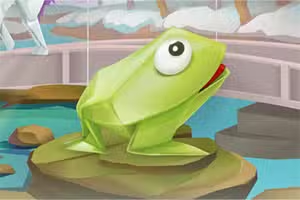
एनिमल ओरिगेमी कलरिंग
एनिमल ओरिगेमी कलरिंग एक आरामदायक,
ब्राउज़र-आधारित रंग भरने वाला खेल है जो बच्चों और सामान्य खिलाड़ियों के लिए एकदम सही है। यह शैक्षिक HTML5 गेम आपको सुंदर ओरिगेमी शैली में डिज़ाइन किए गए जानवरों के आठ अद्वितीय चित्र प्रस्तुत करता है। अपने माउस के साथ एक सरल पॉइंट-एंड-क्लिक नियंत्रण योजना का उपयोग करके,
आप पैलेट से रंग चुनते हैं और कागज़-मुड़े हुए प्राणियों के विभिन्न वर्गों को भरकर उन्हें जीवंत बनाते हैं।
आप एनिमल ओरिगेमी कलरिंग कैसे खेलते हैं?
शुरू करना अविश्वसनीय रूप से सरल है। जब आप गेम लॉन्च करते हैं,
तो आपको आठ अलग-अलग जानवरों के चित्रों का चयन दिखाई देगा। जिसे आप रंगना चाहते हैं उस पर क्लिक करने के लिए अपने माउस का उपयोग करें। एक बार छवि लोड हो जाने पर, स्क्रीन के नीचे रंगों का एक पैलेट प्रदर्शित होगा।
एक अनुभाग को रंगने के लिए, पहले पैलेट से अपने इच्छित रंग पर क्लिक करें। फिर,
अपने कर्सर को ड्राइंग के उस हिस्से पर ले जाएँ जिसे आप भरना चाहते हैं और फिर से क्लिक करें। अनुभाग तुरंत आपके चुने हुए रंग से भर जाएगा। जब तक आप अपनी उत्कृष्ट कृति से खुश नहीं हो जाते,
आप जितनी बार चाहें रंग बदल सकते हैं।
एक रचनात्मक और आरामदायक अनुभव
कई आर्केड या कौशल खेलों के विपरीत, एनिमल ओरिगेमी कलरिंग में टाइमर, स्कोर या दबाव नहीं होता है। ध्यान पूरी तरह से रचनात्मकता और विश्राम पर है। अद्वितीय ओरिगेमी कला शैली इसे मानक रंग पुस्तक खेलों की तुलना में एक अलग रूप देती है,
जो आपको यह सोचने के लिए चुनौती देती है कि मुड़ी हुई कागज़ की सतह पर प्रकाश और छाया कैसी दिख सकती है।
आप सुंदर पक्षियों से लेकर चतुर लोमड़ियों तक विभिन्न प्रकार के जानवरों में से चुन सकते हैं। यह आराम करने और अपने कलात्मक पक्ष को व्यक्त करने का एक अद्भुत तरीका है,
जो इसे सभी उम्र के खिलाड़ियों के लिए एक बढ़िया विकल्प बनाता है जो रचनात्मक गतिविधियों का आनंद लेते हैं।
एनिमल ओरिगेमी कलरिंग अनब्लॉक्ड - मुफ्त ब्राउज़र गेम
आप एनिमल ओरिगेमी कलरिंग का आनंद अपने वेब ब्राउज़र में पूरी तरह से मुफ्त में ले सकते हैं। डाउनलोड या इंस्टॉल करने के लिए कुछ भी नहीं है, इसलिए आप तुरंत खेलना शुरू कर सकते हैं। चूंकि यह एक HTML5 गेम है,
यह अधिकांश आधुनिक उपकरणों पर चलता है और स्कूल या कार्य नेटवर्क पर एक्सेस किया जा सकता है जो गेमिंग पोर्टल की अनुमति देते हैं।
एनिमल ओरिगेमी कलरिंग में लक्ष्य एक विशिष्ट ओरिगेमी कला शैली में जानवरों की विशेषता वाले आठ अलग-अलग चित्रों की एक श्रृंखला को रंगना है। अनुभागों को भरने और अपनी खुद की अनूठी और जीवंत कलाकृति बनाने के लिए प्रदान किए गए रंग पैलेट का उपयोग करें।
खेल पूरी तरह से माउस से नियंत्रित होता है। खेलने के लिए, स्क्रीन के नीचे पैलेट से एक रंग चुनने के लिए अपने बाएं क्लिक का उपयोग करें। इसके बाद,
अपने कर्सर को ड्राइंग के उस अनुभाग पर ले जाएँ जिसे आप रंगना चाहते हैं और इसे लागू करने के लिए एक और बाएं क्लिक का उपयोग करें।
मुख्य मेनू से उपलब्ध आठ जानवरों के चित्रों में से एक को चुनकर शुरू करें। एक बार जब आप अपनी रचना से संतुष्ट हो जाते हैं,
तो आपके पास छवि को अपने डिवाइस में सहेजने का विकल्प होता है। फिर आप किसी भी समय मुख्य मेनू में लौट सकते हैं और रंगने के लिए एक नया जानवर चुन सकते हैं।
गेम टिप्स
अपने पैलेट की योजना बनाएं - रंग भरना शुरू करने से पहले, एक सामान्य रंग योजना तय करें। यह आपकी अंतिम तस्वीर को अधिक सुसंगत और देखने में आकर्षक बनाने में मदद करेगा।
विपरीत रंगों का उपयोग करें - आसन्न कागज़ की तहों पर विभिन्न रंगों या विपरीत रंगों का उपयोग करके अपने ओरिगेमी जानवर को अलग बनाएं। यह गहराई और 3D प्रभाव जोड़ता है।
स्वतंत्र रूप से प्रयोग करें - कोई 'पूर्ववत' बटन नहीं है, लेकिन आप आसानी से किसी भी रंग पर पेंट कर सकते हैं। जब तक आपको पसंद न आए, विभिन्न संयोजनों को आज़माने से न डरें।
छोटे अनुभागों पर ध्यान दें - कुछ तह बहुत छोटी होती हैं। इन छोटे क्षेत्रों को सावधानी से रंगना आपकी कलाकृति की समग्र गुणवत्ता में बड़ा अंतर ला सकता है।
अपना काम सहेजें - अपनी पसंदीदा रचनाओं को डाउनलोड करने के लिए सेव फ़ंक्शन का उपयोग करना याद रखें। आप अपने रंगीन ओरिगेमी जानवरों की एक व्यक्तिगत गैलरी बना सकते हैं।