
Pixel Number - DIY Coloring
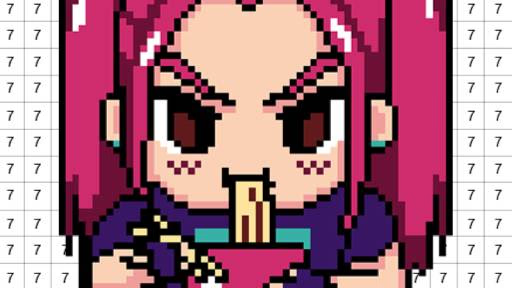
Pixel Number - DIY Coloring is a casual browser game that blends the classic appeal of paint-by-numbers with digital pixel art. In this relaxing HTML5 experience, you fill a numbered grid with corresponding colors using simple mouse clicks or taps.
It’s designed for anyone seeking a calm, creative outlet to de-stress and make beautiful artwork without needing any artistic skill.
How Does the Coloring Process Work?
Getting started is simple. First, you choose an image from the extensive gallery. The canvas is a grid of pixels, each marked with a number. Your color palette at the bottom of the screen is also numbered.
Just select a color, and all the matching numbered pixels on the canvas will be highlighted.
You can then click or tap on these highlighted areas to fill them in. The game makes it easy to navigate your artwork- you can zoom in to focus on tiny details or zoom out to see your progress.
This foolproof system ensures a perfect picture every time.
What Kind of Art Can You Create?
Pixel Number - DIY Coloring offers a huge variety of templates to choose from. The gallery includes everything from cute animals and cats to complex mandalas and festive Christmas scenes.
The images range in difficulty, with some having large, easy-to-fill sections and others featuring hundreds of tiny pixels for a greater challenge.
The game is frequently updated with new art collections, including seasonal and holiday-themed pictures. By playing consistently, you can unlock more advanced templates and special color palettes, keeping the experience fresh and engaging.
Why is Pixel Art So Relaxing?
The game's repetitive and focused nature helps calm your mind. Matching numbers to colors is a simple, meditative task that can reduce stress and provide a sense of accomplishment.
As you fill in the grid, you see the image slowly come to life, which is an incredibly satisfying process.
Unlike traditional drawing, there's no pressure to be perfect or worry about mistakes. The system guides you, allowing you to simply enjoy the creative flow. It’s a constructive way to unwind and create something beautiful with guaranteed success.
Pixel Number - DIY Coloring Unblocked - Free Browser Game
You can enjoy Pixel Number - DIY Coloring completely free in your browser with no downloads required. Because it’s an HTML5 game, it runs directly on any device, including Chromebooks at school or PCs at work.
It's fully unblocked, letting you access this peaceful creative escape from any network, anytime you need a moment to relax and color.
The goal in Pixel Number - DIY Coloring is to complete a piece of pixel art by filling in each numbered cell with its matching color.
Use your mouse or touch controls to play. First, left click or tap on a color from the palette at the bottom of the screen. Then, click or tap on the corresponding numbers on the main canvas to fill them in.
You can click and drag your mouse or finger to fill multiple adjacent cells at once. Use your scroll wheel or pinch-to-zoom to get a closer look at the details.
Choose any artwork from the gallery to begin. As you complete images, you'll see them added to your personal collection. Completing pictures and daily challenges will gradually unlock new and more intricate designs for you to tackle.
Game Tips
Focus On One Color - Select a color and find all its corresponding numbers on the grid. It's more efficient than switching colors constantly.
Zoom In - For areas with many small, different-colored pixels, zoom in close to avoid mis-clicks and ensure you don't miss any spots. Start With The Largest Areas - Knock out the colors that cover the most ground first, like backgrounds.
This makes the picture take shape quickly and makes it easier to fill in the details later. Use The Locator Tool - If you can't find the last few pixels for a specific color, use the hint or locator tool.
It will highlight the remaining numbers for you. Pan Around - Don't forget to zoom out and pan around the canvas periodically to see how your artwork is coming together as a whole.