
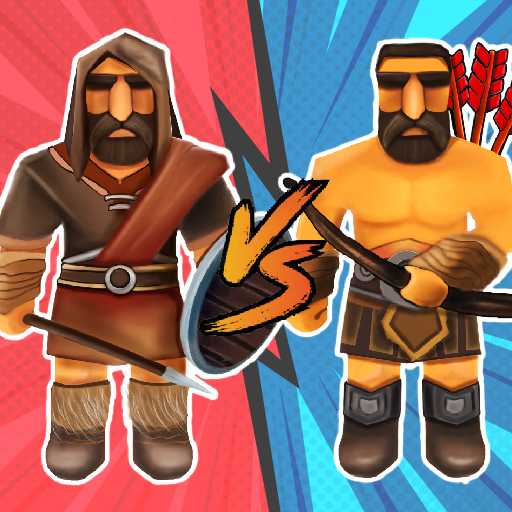
Medieval Battle 2P
Medieval Battle 2P is an action-strategy battle simulator where players command medieval armies in head-to-head combat. This browser-based HTML5 game offers both single-player challenges against AI and competitive two-player local multiplayer, focusing on tactical unit deployment and strategic shooting mechanics.
It's designed for fans of historical warfare and quick, engaging skirmishes.
How Does Medieval Battle 2P Simulate Medieval Warfare?
Medieval Battle 2P transports you to historical battlefields, tasking you with leading your forces to victory. The game combines elements of real-time strategy with precision action, allowing you to deploy various medieval units like archers, swordsmen, and even siege weapons.
Each unit type has distinct strengths and weaknesses, requiring thoughtful placement on the battlefield. Success hinges on more than just numbers; you must consider unit synergy and counter enemy deployments effectively.
The "shooting" aspect often involves aiming projectiles from your ranged units or operating siege weaponry with precise clicks, adding an interactive layer to the strategic combat.
Victory in Medieval Battle 2P typically means destroying your opponent's main structure or eliminating their commander. You'll need to manage your resources, usually represented by a deployment bar or a simple gold economy, to continuously reinforce your front lines.
As you progress, you might unlock new unit types or upgrades, expanding your strategic options. The game's dynamic battles keep you on your toes, demanding quick decisions and adaptive strategies against both computer opponents and human adversaries.
Commanding Your Army in Medieval Battle 2P
Controlling your army in Medieval Battle 2P is straightforward, designed for quick engagement. In single-player mode, you typically use the mouse to select and deploy units from a base.
Once deployed, units often engage automatically, but you might have direct control over special abilities or projectile aiming. For two-player local multiplayer, the game often uses a split-screen or shared-screen setup.
One player might use WASD keys for movement or unit selection, while the other uses arrow keys, both utilizing the mouse or specific keys for actions like aiming and firing. This setup ensures both players have dedicated controls, making for fair and competitive duels.
The key to effective command is understanding your units' ranges and attack patterns. Placing archers on elevated ground or behind melee units can maximize their effectiveness, for instance.
Likewise, knowing when to push with heavy infantry or hold back with defensive lines can turn the tide of a skirmish.
The game's intuitive interface lets you focus on the tactics rather than complex controls, making it accessible for casual players while still offering strategic depth for those who enjoy optimizing their battle plans.
Medieval Battle 2P Unblocked - Free Browser Game
You can play Medieval Battle 2P directly in your web browser for free, without any downloads or installations. This makes it a perfect choice for quick gaming sessions, whether you're at home, school, or work.
The game is designed to run smoothly on most devices, offering instant access to medieval warfare fun without any barriers.
The main objective in Medieval Battle 2P is to outmaneuver and destroy your opponent's castle or command post before they can do the same to yours. You achieve this by strategically deploying various medieval units onto the battlefield.
For 1 Player, use the mouse to select and deploy your units. Left click to place them on the battlefield and direct their attacks. In 2 Player mode, Player 1 typically uses WASD for unit selection and movement, while Player 2 uses the arrow keys.
Both players will use the mouse to aim and left click to fire projectiles or activate unit abilities, or specific keys like spacebar depending on the game's configuration.
As the battle progresses, you'll earn resources (often automatically over time) which allow you to deploy more powerful or numerous units. Use these resources wisely to build a balanced army that can both defend your base and push towards the enemy.
Keep an eye on the battlefield's terrain; positioning archers on high ground can give them an advantage. Coordinate your melee and ranged units to protect your vulnerable long-range attackers while your infantry engages the enemy head-on.
Game Tips
Balance your army - Don't just spam one unit type; ensure you have a mix of melee defenders and ranged attackers. Protect your archers - Place your ranged units behind your melee soldiers to keep them safe and maximize their damage output.
Use terrain wisely - Position units on elevated ground or behind obstacles for defensive bonuses or extended range. Resource management - Wait to deploy your stronger units until you've accumulated enough resources to make their impact count.
Counter enemy units - Observe what your opponent deploys and respond with units that are strong against their chosen strategy. Target priority - Focus your attacks on key enemy threats like their ranged units or siege weapons before they cause significant damage.