
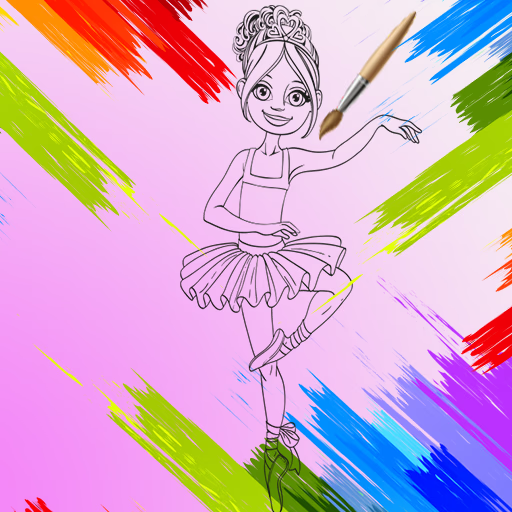
Little Ballerinas Coloring
Little Ballerinas Coloring is a casual and educational browser game where you use a vibrant digital palette to color elegant ballerina scenes. This creative HTML5 experience is perfect for young artists, offering simple mouse and touch controls to fill in detailed illustrations.
Combining artistic freedom with puzzle-like precision, it provides a relaxing and engaging platform for self-expression, similar to digital coloring book apps.
What Coloring Tools Are Available?
In Little Ballerinas Coloring, you have a complete artist's toolkit at your fingertips. The interface features a wide spectrum of colors to choose from, allowing for endless creative combinations. You can select different brush sizes to tackle both large areas and tiny details with precision.
The game also includes an eraser tool, so don't worry about making mistakes. This feature encourages experimentation, letting you try out different ideas without any pressure.
The goal is to make it easy for anyone to pick up and start creating a beautiful masterpiece right away.
How Does This Game Benefit Young Players?
Little Ballerinas Coloring is more than just a fun pastime; it's a tool for development. The act of carefully selecting colors and applying them within the lines helps improve fine motor skills and hand-eye coordination.
It also strengthens color recognition and encourages creative thinking as you decide how to style each ballerina's costume and setting.
The game provides a calm, non-competitive environment where imagination is the only objective. With no timers or scores, it's a wonderful way for kids to unwind, focus, and engage in a productive screen-time activity that nurtures their artistic talents.
Little Ballerinas Coloring Unblocked - Free Browser Game
You can enjoy Little Ballerinas Coloring for free directly in your web browser. There's no need to download or install anything, making it instantly accessible on PCs, tablets, and mobile devices.
Because it's an HTML5 game, it works smoothly on most school or work networks, so you can start your artistic adventure from anywhere.
The goal in Little Ballerinas Coloring is to use your creativity to color in a selection of beautiful ballerina illustrations. Choose a drawing and bring it to life with a rich palette of colors.
Controls are very simple. Use your mouse to select a color from the palette and then left click on the area of the picture you want to fill. On mobile devices, you can tap to choose colors and apply them to the drawing.
To begin, pick one of the black-and-white ballerina scenes. Experiment with different color combinations for her dress, shoes, and the background. You can switch between drawings at any time and save your completed artwork.
Game Tips
Zoom In - Use the zoom feature to get a closer look at small, intricate areas. This helps you color within the lines more accurately. Plan Your Palette - Before you start, think about a color scheme.
Choosing two or three main colors can make your ballerina's outfit look more cohesive. Use the Eraser - Don't be afraid to make a mistake! The eraser tool is perfect for cleaning up any colors that accidentally go outside the lines.
Add Depth with Shades - Try using lighter and darker shades of the same color on different parts of the dress to create a sense of shadow and depth.
Start with Lighter Colors - It's often easier to color over a light shade with a dark one than the other way around. Fill in your lightest areas first.