
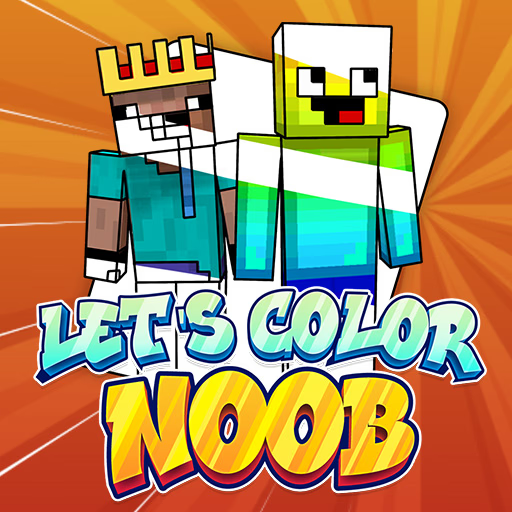
Let's Color Noob
Let's Color Noob is a casual puzzle game where players color blocky characters inspired by popular online worlds like Minecraft and Roblox. This browser-based HTML5 title offers a relaxing creative outlet, combining simple click-and-fill mechanics with a wide array of recognizable figures.
It's designed for players of all ages who enjoy art, puzzles, and a touch of nostalgia for their favorite pixelated adventures.
What makes Let's Color Noob an engaging coloring experience?
This game presents you with a gallery of beloved blocky characters, reminiscent of those found in construction and adventure games. Each character acts as a blank canvas, awaiting your artistic touch.
You'll find a straightforward interface with a vibrant color palette and essential tools like a fill bucket, brush, and eraser.
The mechanics are simple: select a color, choose your tool, and apply it to the designated area. There's no pressure or time limit, allowing you to freely experiment with different shades and combinations.
Let's Color Noob provides a soothing escape, blending the satisfaction of a puzzle with the freedom of creative expression.
How does Let's Color Noob challenge your artistic eye?
While the game is easy to pick up, mastering the art of coloring these pixelated figures requires a keen eye and a bit of patience. You'll need to decide whether to stick to original character designs or invent entirely new color schemes.
The zoom feature becomes invaluable for tackling intricate details and ensuring every pixel is perfectly colored.
You can use the fill bucket for large areas and switch to the brush for finer lines or unique textures. Mistakes are easily corrected with the undo button or the eraser tool, encouraging fearless experimentation.
Let's Color Noob isn't just about filling spaces; it's about bringing these iconic figures to life with your own creative vision.
Let's Color Noob Unblocked - Free Browser Game
Play Let's Color Noob instantly on Sonsaur.com without any downloads or installations. This free online HTML5 game runs directly in your web browser, making it accessible on nearly any device, including school or work networks.
Enjoy a quick creative break anytime, anywhere, with no barriers to entry.
The goal in Let's Color Noob is to color various blocky characters using a palette of vibrant colors and different artistic tools.
Use your mouse to navigate the menus, select characters, and choose your preferred coloring tools. Left click to pick a color from the palette, then left click again on the character's sections to apply that color.
Start by selecting a character from the gallery. Then, choose a tool like the fill bucket for large areas or the brush for smaller details. Apply colors to bring your pixelated friend to life, using the undo button if you make a mistake.
Experiment with different color combinations and utilize the zoom feature for precision. There's no right or wrong way to color, so have fun creating unique masterpieces.
Game Tips
Zoom In - Use the zoom tool to accurately fill tiny sections and intricate details without coloring outside the lines. Fill Large Areas First - Start by applying base colors to bigger sections with the fill bucket to establish your main color scheme.
Experiment with Palettes - Don't feel obligated to use traditional colors; try unique combinations to give characters a fresh look. Use Undo Liberally - If you apply a color incorrectly or change your mind, hit the undo button to quickly revert your last action.
Switch Tools - Alternate between the fill bucket for broad strokes and the brush for fine lines or shading effects. Take Your Time - There's no timer, so relax and enjoy the creative process at your own pace.