
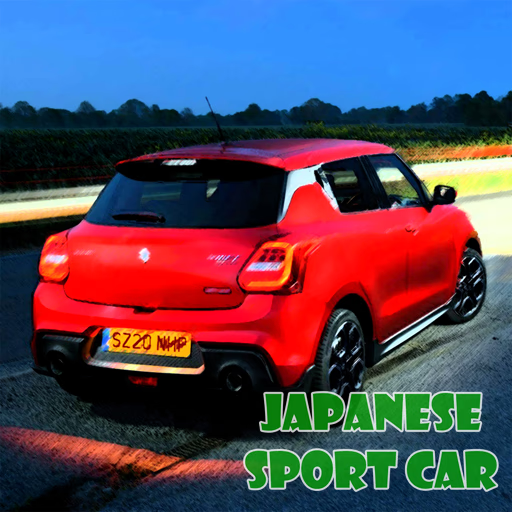
Japanese Sport Car Puzzle
Japanese Sport Car Puzzle is a browser-based jigsaw game designed for fans of high-performance JDM cars. This HTML5 title presents six high-resolution images of iconic sports cars, challenging you to piece them together.
Players use a simple mouse-driven, drag-and-drop control scheme to assemble the puzzles, with multiple difficulty settings available.
What Cars Are Featured in the Puzzles?
The game celebrates the sleek engineering and aggressive designs of Japanese sports cars. While the game doesn't name the specific models, car enthusiasts will recognize the distinct lines and features of legendary performance coupes.
Each of the six puzzles features a different vehicle, captured in a dynamic shot that makes for a visually rewarding jigsaw experience.
From sharp body kits to iconic spoilers, the details in each image provide helpful clues for solving the puzzle. The high-quality photography ensures that completing a puzzle feels like you're revealing a piece of automotive art.
How Do You Adjust the Difficulty?
Japanese Sport Car Puzzle is built for every skill level, from total beginners to seasoned jigsaw experts. Before you begin assembling an image, the game prompts you to select from four different piece counts. The options are 16, 36, 64, or 100 pieces.
Choosing the 16-piece mode is a great way to get familiar with an image and the game's controls. For those seeking a real test of their puzzle-solving skills, the 100-piece mode offers a significant challenge that requires more time, patience, and strategy to complete.
Japanese Sport Car Puzzle Unblocked - Free Browser Game
You can enjoy Japanese Sport Car Puzzle for free directly in your web browser without any hassle. As an HTML5 game, it requires no downloads, installations, or user registration.
It's fully accessible on any device with an internet connection, including computers on school or work networks, making it a perfect choice for a quick and relaxing break.
The main goal in Japanese Sport Car Puzzle is to successfully assemble a complete image of a sports car by placing all the jigsaw pieces in their correct positions on the board.
To play, use your mouse. Use a left click to select a puzzle piece from the side panel, hold the button down to drag it onto the main puzzle area, and release the left click to drop it into place.
Correctly placed pieces will snap together.
First, choose one of the six available car images you want to solve. Next, select your preferred difficulty level: 16, 36, 64, or 100 pieces. The puzzle will then scramble, and you can begin assembling the picture.
Game Tips
Frame It First - Always begin by finding all the edge and corner pieces. Assembling the border provides a clear frame to work within. Sort by Color - Before you start placing pieces, group them by their dominant colors.
For example, put all the silver body panel pieces in one pile and the black tire pieces in another. Focus on Details - Look for distinct parts of the car like headlights, brand logos, or spoilers.
Building these small, recognizable sections first can help you connect larger areas later. Use the Ghost Image - The faint outline of the completed picture is visible on the puzzle board. Use this as a guide to understand where different shapes and colors should go.
Start Small - If you're struggling with the 100-piece mode, try solving the same puzzle on the 16 or 36-piece setting first. This helps you learn the image's layout and key features.