
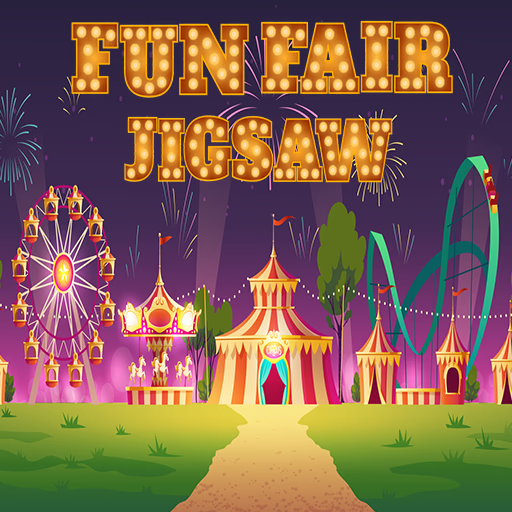
Fun Fair Jigsaw
Fun Fair Jigsaw is a relaxing browser-based puzzle game where you assemble vibrant images of amusement parks and carnivals. This HTML5 game challenges you to piece together 12 different joyful scenes using a simple click-and-drag mouse control system.
With adjustable difficulty, it's a perfect casual experience for puzzle fans of all ages.
How Do the Difficulty Settings Work?
Before you start each picture in Fun Fair Jigsaw, you get to choose your challenge level. There are three distinct options that determine the complexity of the puzzle.
The 'Easy' setting breaks the image into 16 large pieces, making it ideal for a quick game or for younger players. 'Medium' increases the challenge to 36 pieces, requiring more attention to detail.
For a true test of your puzzle-solving skills, the 'Hard' mode shatters the image into 64 smaller pieces.
A Dozen Cheerful Carnival Scenes
The game features a collection of 12 high-quality images, all centered around the lively atmosphere of a fun fair. You'll piece together pictures of towering Ferris wheels against a sunset, classic carousels with colorful horses, and bustling midways filled with games and food stalls.
Each puzzle captures a different aspect of the carnival experience, from the bright lights of the rides to the happy faces in the crowd. This thematic consistency makes completing the entire collection a delightful journey through a world of fun and excitement.
Fun Fair Jigsaw Unblocked - Free Browser Game
You can enjoy Fun Fair Jigsaw for free directly in your web browser. There's no need for any downloads or installations, so you can start playing right away.
This game runs on HTML5, making it compatible with most modern devices and accessible on networks at school or work that might block other gaming sites.
The objective in Fun Fair Jigsaw is to successfully assemble a complete picture by dragging and dropping scattered puzzle pieces into their correct places.
Use your mouse to play. Left click and hold on a puzzle piece to pick it up, then drag it to the desired position on the puzzle board and release the click to place it.
First, choose one of the 12 available fun fair images from the main menu. Next, select your difficulty: Easy (16 pieces), Medium (36 pieces), or Hard (64 pieces). Once a piece is correctly placed, it will lock into position.
Game Tips
Start with Corners - The four corner pieces are the easiest to identify because they each have two flat edges. Placing them first creates your frame.
Assemble the Border - After the corners are in place, find all the remaining edge pieces (those with one flat side) and connect them to build the puzzle's border.
Group by Color - Before trying to place pieces in the middle, sort them into piles based on similar colors or patterns. This helps you focus on one section at a time.
Reference the Image - If you're unsure where a piece goes, look closely at the completed preview image to identify specific objects or color gradients.
Work on Mini-Sections - Find pieces that clearly belong to a distinct object, like a carousel horse or a bright balloon, and assemble that small section separately before fitting it into the larger picture.