
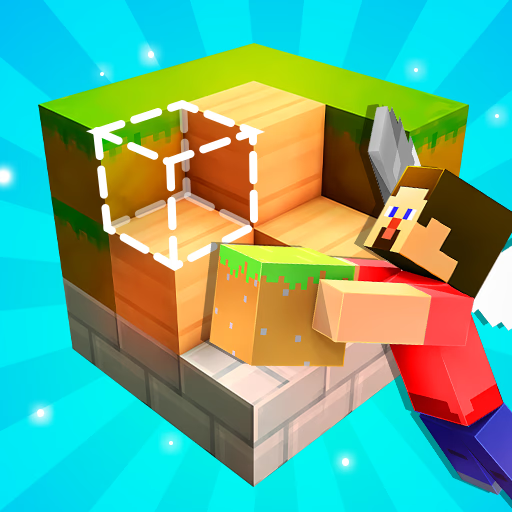
Craft Block World Building
Craft Block World Building is a creative simulation game where players construct and design structures within an expansive, pixelated environment. This browser-based HTML5 title offers a freeform sandbox experience, similar to popular block-building games, allowing you to use various materials to realize imaginative builds.
It appeals to casual gamers, puzzle enthusiasts, and anyone who enjoys digital creation on desktop or mobile devices.
How Do You Get Started in Craft Block World Building?
To begin your adventure in Craft Block World Building, you simply start a new game and are immediately placed into a generated landscape. The core mechanic involves selecting different block types from your inventory and placing them one by one to form your desired creations.
You can choose from a wide array of materials, including wood, stone, glass, and more, each with unique textures and colors. The game provides a vast, open-ended world, ensuring there's always new space to explore and build upon.
What Tools and Blocks Are Available for Building?
Craft Block World Building features a comprehensive set of tools and a diverse block palette to support your architectural ambitions. You have access to basic blocks for constructing walls and floors, decorative elements for detailing, and even functional items for interaction.
The game emphasizes intuitive controls, making it easy to cycle through block types and quickly place or remove them. Experiment with different combinations to discover unique aesthetics and functional designs for your structures.
Can You Create Complex Structures in Craft Block World Building?
Absolutely! Craft Block World Building provides all the tools you need to construct anything from a simple hut to an elaborate castle or an entire city.
The game's 3D perspective allows for precise placement of blocks, enabling complex multi-story buildings, intricate landscaping, and detailed interior designs. With unlimited resources, your only constraint is your own creativity. You can spend hours perfecting a single build or rapidly prototype multiple ideas.
Craft Block World Building Unblocked - Free Browser Game
Play Craft Block World Building directly in your web browser without any downloads or installations. This free HTML5 game runs smoothly on most modern devices, including those on school or work networks, offering an unblocked creative outlet whenever you need it.
Just open your browser, and you're ready to start building.
Your main goal in Craft Block World Building is to unleash your creativity by constructing various structures and landscapes using an array of pixelated blocks.
Move around the world using the WASD keys. Use the mouse to look around and control your view. Left click to place blocks and right click to remove blocks from the environment. The spacebar allows you to jump.
Select different block types from your inventory using the number keys (1-9) or by scrolling your mouse wheel. You can cycle through building materials like dirt, stone, wood, and more to suit your design needs.
Experiment with different block combinations and placement strategies to create unique buildings, bridges, or even entire towns. There are no limits to what you can build.
Game Tips
Explore everything - Take time to explore the vast world to find inspiration for your next build. Plan your builds - Before placing blocks, visualize your structure or sketch a rough plan to avoid constant adjustments.
Experiment with materials - Try different block types together to create unique textures and visual effects. Build big, then refine - Start with large, basic shapes for your structure, then go back and add smaller details and decorations.
Use the environment - Incorporate natural elements like hills, water, and trees into your designs for more organic creations. Save often - While there isn't a manual save, remember what you've built so you can recreate it if you refresh your browser.