
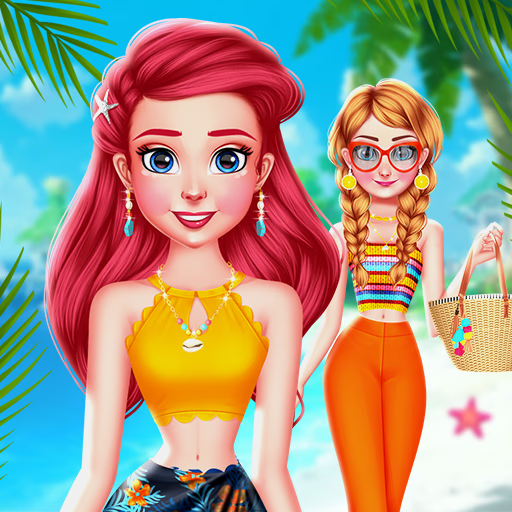
Choose My Summer Style
Choose My Summer Style is a vibrant browser-based dress-up game where you become the lead stylist for three friends and their pet cat. Using simple point-and-click controls, you'll explore extensive wardrobes to create the perfect summer looks.
This HTML5 game is perfect for anyone who loves fashion, creativity, and designing character outfits from head to toe.
What Are the Main Style Categories?
The game offers a fantastic variety of summer-themed clothing to suit any occasion. You can browse through categories filled with breezy summer dresses, stylish swimwear for a day at the beach, and casual tops and shorts for a relaxed city walk.
The selection is designed to be mixed and matched, giving you total freedom.
Beyond the main clothing items, you'll find a huge collection of accessories. Complete your outfits with sunglasses, sun hats, fashionable bags, and sparkling jewelry to add that perfect finishing touch to each girl's unique style.
Customize Every Detail
In Choose My Summer Style, customization goes beyond just picking clothes. For each of the three friends, you can select from a wide range of hairstyles to completely transform their appearance.
Experiment with different cuts and colors to match the vibe of the outfit you're creating.
A unique feature is the ability to style the group's adorable cat companion. You can add cute little accessories like bows or collars to the cat, making sure even the pet is part of the stylish ensemble.
This adds a charming layer to the creative process.
Choose My Summer Style Unblocked - Free Browser Game
You can play Choose My Summer Style for free directly in your web browser. There are no downloads or installations required, so you can start styling immediately.
Because it's a browser game, it works on most school or work networks that allow gaming sites, making it easy to access anytime you need a creative break.
The goal in Choose My Summer Style is to create fashionable summer outfits for three best friends and their pet cat. Your objective is to use your style sense to mix and match clothing and accessories for each character.
The game is played entirely with the mouse. Use your cursor to navigate the menus and click to select a character you want to style. Click on the wardrobe categories like tops, bottoms, dresses, and accessories, then click on the item you want to apply.
Start by selecting one of the girls. Go through her wardrobe options and dress her up. Once you're happy with her look, move on to the next girl, and then the cat.
After all characters are styled, you can arrange them in a final scene with a background of your choice.
Game Tips
Coordinate Colors - Try using a similar color palette across all three girls for a professional, themed photoshoot look. Don't Neglect the Cat - The cat's accessory can be a fun way to tie the whole group's look together.
Match its bow to one of the girl's dresses. Layer Your Accessories - Combine hats, necklaces, and bags to create a more dynamic and complete outfit. Don't just pick one! Experiment with Hairstyles - A different hairstyle can completely change the feel of an outfit.
Try a few before settling on the final look. Match the Scene - In the final step, choose a background that complements the style of the clothes you've chosen, whether it's a beach, a park, or a city street.