
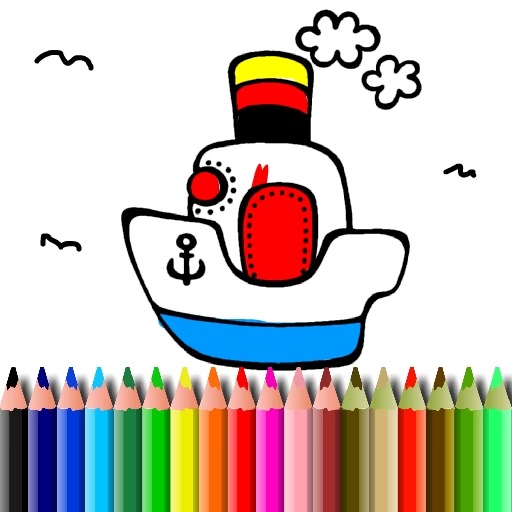
BTS Boat Coloring
BTS Boat Coloring is a casual digital coloring book game where you bring various boat-themed drawings to life. This relaxing browser game uses a simple point-and-click control scheme, making it accessible for players of all ages.
If you enjoy creative activities like paint-by-numbers but want complete freedom, this HTML5 title offers a perfect, stress-free experience.
How Do You Play BTS Boat Coloring?
Getting started is incredibly simple. First, you browse through a gallery of uncolored boat illustrations and select the one you want to work on. Once you've chosen a picture, a wide palette of colors appears on the side of the screen.
Your main tool is your mouse.
To color a section, you just click on a color from the palette to select it, then click on any enclosed area of the drawing to fill it in.
There's also a handy zoom function to get a closer look at smaller details and an eraser tool in case you change your mind or make a mistake. The intuitive interface ensures you can focus purely on your creativity.
What Makes This Coloring Game Relaxing?
Unlike many online games, BTS Boat Coloring is designed entirely around relaxation. There are no timers ticking down, no scores to achieve, and no competitive pressure. The goal is simply to enjoy the creative process at your own pace.
It's an excellent activity for kids to learn about colors or for adults looking for a calm way to unwind.
The game offers a nice variety of watercraft, from simple sailboats to more complex ships, providing a fresh canvas for each session. When you're finished with your masterpiece, you even have the unique option to print it directly from the game.
BTS Boat Coloring Unblocked - Free Browser Game
You can play BTS Boat Coloring for free directly in your web browser with no downloads or installation necessary. As a lightweight HTML5 game, it runs smoothly on most computers and devices.
This also means it works on school or work networks that might restrict access to other game sites, making it a perfect unblocked game for a quick and creative break.
The goal in BTS Boat Coloring is to use your creativity to color in a variety of boat-themed line drawings. There are no scores or time limits, just a relaxing artistic experience.
The game is controlled entirely with the mouse. Use your left click to select a color from the on-screen palette. Then, move your cursor over the drawing and click on any enclosed section to fill it with the selected color.
You can choose from multiple boat pictures at the start. Use the zoom tool to get a better view of small areas and the eraser tool to undo any colors you're not happy with.
When you're finished, you can print your work or start over with a new boat.
Game Tips
Zoom In - For tiny, detailed areas, use the zoom tool to magnify the image. This helps you click accurately inside the lines. Plan Your Colors - Before you start, think about a color scheme.
Choosing a few complementary colors for the boat and background can make your final image look more polished. Use the Eraser - Don't be afraid to experiment with different colors. The eraser tool makes it easy to undo a fill if you change your mind.
Background First - Try coloring the large background sections like the water and sky first. This helps frame the boat and makes it easier to choose colors that stand out.
Print Your Art - If you create a design you're really proud of, use the print function to get a physical copy of your artwork.