
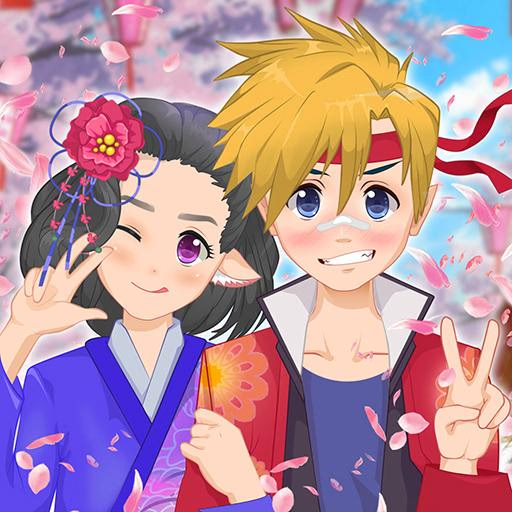
Anime Avatar - Face Maker
Anime Avatar - Face Maker is a detailed character creation game that runs directly in your browser. This casual dress-up tool lets you design unique anime-style characters from scratch using a simple point-and-click or tap interface.
Players can customize every aspect, from facial features and hairstyles to clothing and accessories, making it perfect for creating a new social media profile picture or bringing an original character to life.
Craft Your Perfect Anime Persona
The core of Anime Avatar - Face Maker lies in its extensive customization options. You're not just picking from a few presets; you're the artist.
Start with the face, choosing from dozens of eye shapes, eyebrow styles, noses, and mouths to capture the exact expression you want. Adjust skin tones to match any ethnicity or create a fantasy character with unconventional colors.
The variety extends to hairstyles, with a massive library of bangs, back hair, and ponytails that can be mixed and matched. Each element often comes with its own color palette, giving you granular control over your creation's final look.
This level of detail makes it easy to spend hours perfecting every last feature.
What Kinds of Characters Can You Create?
Your imagination is the only limit. You can design a classic anime hero or heroine, a cute princess with elegant dresses, or even a monster-inspired character with horns and unique eyes. The game provides a wide range of clothing and accessories to fit any theme.
Create a student in a school uniform, a warrior with cool gear, or just a stylized version of yourself for your online profiles.
This flexibility makes Anime Avatar - Face Maker more than just a game- it's a creative tool.
Use it to visualize characters for stories you're writing, design a mascot for your social channel, or simply have fun experimenting with different styles and aesthetics without any pressure or goals.
Anime Avatar - Face Maker Unblocked - Free Browser Game
You can enjoy creating characters in Anime Avatar - Face Maker for free, right here on Sonsaur. Since it's an HTML5 game, there are no downloads or installations required.
It runs smoothly in your web browser, making it accessible on most devices, including Chromebooks at school or PCs at work, without any blocks.
The goal in Anime Avatar - Face Maker is to express your creativity by designing a custom anime character. There are no points or time limits; the objective is simply to build an avatar you love using the countless options available.
The game is controlled entirely using your mouse on a computer or by touch on a mobile device. Use a left click or a tap to navigate the on-screen menus for categories like eyes, hair, clothes, and accessories.
Click or tap on a specific item within a category to apply it to your character.
Start with the default character base and work your way through the customization categories. Icons on the screen represent different features. Select a category to see all the available options, then click through them to preview how they look on your avatar.
Layer elements and adjust colors until you are satisfied with your design, then use the save button to download your creation.
Game Tips
Plan a Theme - Before you start clicking, think about the kind of character you want to make (e.g., cute, cool, scary). This will help you make more cohesive choices. Explore Color Palettes - Many items have a color selection tool.
Don't just stick with the default; click the color options to personalize hair, eyes, and clothing for a unique look. Layering is Key - Combine different accessories to add depth.
Try pairing glasses with a hat, or a scarf with a jacket, to give your character more personality. Focus on the Face - An anime character's expression is everything.
Spend time choosing the right combination of eyes, eyebrows, and mouth to define their mood and personality. Use the Backgrounds - The final tab lets you choose a background. Select one that complements your character's theme and color scheme to create a complete profile picture.
Save Your Work - When you're happy with your avatar, don't forget to hit the save/download button to get a high-quality image file you can use anywhere.