
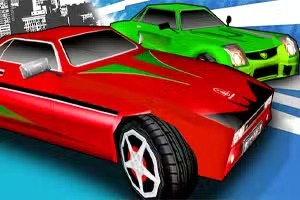
Klasické 3D závody z roku 1990
Klasické 3D závody z roku 1990 je arkádová hra s vozidly, která přináší nostalgickou 3D závodní akci do prohlížečů a mobilních zařízení.
Inspirována ikonickými závodními hrami z 80. a 90. let nabízí rychlou jízdu, retro vizuály a jednoduché ovládání, což z ní dělá skvělou volbu pro fanoušky klasických závodních zážitků jako OutRun a Virtua Racing.
Jak Klasické 3D závody z roku 1990 zachycují retro závodění?
Klasické 3D závody z roku 1990 znovu vytvářejí vzhled a pocit starých arkádových závodních her s polygonální grafikou, živými barvami a syntetizátorovými soundtracky.
Hratelnost se soustředí na jednoduché závodění s kontrolními body, kde budete proplétat dopravou, vyhýbat se překážkám na okraji silnice a tlačit svou rychlost na maximum. Intuitivní ovládání usnadňuje rychlé začátky, ať už používáte klávesnici, myš nebo dotykovou obrazovku.
Co dělá tuto závodní hru výjimečnou?
Na rozdíl od moderních simulátorů se Klasické 3D závody z roku 1990 zaměřují na čistou, přístupnou zábavu místo realismu. Krátké tratě, okamžité restartování a rostoucí obtížnost udržují akci v pohybu.
Driftování v ostrých zatáčkách odměňuje zkušené ovládání a pocit rychlosti je umocněn nízkopolygonálními prostředími připomínajícími klasiky od Segy a Namca. Fanoušci arkádových závodních her ocení přesné ovládání hry a možnost rychlého hraní.
Tipy pro překonání vysokých skóre
Kromě standardního závodění Klasické 3D závody z roku 1990 povzbuzují hráče k honbě za vysokými skóre a rychlejšími časy kol.
Vaším cílem v Klasických 3D závodech z roku 1990 je projet každou trať co nejrychleji a dosáhnout kontrolních bodů dříve, než vyprší čas. Předjeďte co nejvíce soupeřících aut, abyste získali vyšší skóre.
Použijte šipky nebo WASD k řízení auta, zrychlení a brzdění. Šipka nahoru nebo W zrychluje, šipka dolů nebo S brzdí a šipky vlevo/vpravo nebo A/D řídí vaše vozidlo. Na mobilu můžete klepat na tlačítka na obrazovce pro ovládání auta.
Stiskněte tlačítko start nebo klikněte na 'Hrát' pro zahájení závodu. Jak postupujete, tratě se stávají náročnějšími s ostřejšími zatáčkami a větším provozem. Každý kontrolní bod, který projedete, přidává extra čas, abyste zůstali v závodě.
Dávejte pozor na překážky a nebojte se brát zatáčky vysokou rychlostí.
Tipy ke hře
Zůstaňte uprostřed – Umístěte své auto do středu silnice, abyste se vyhnuli náhlým překážkám. Používejte jemné klepnutí – Klepněte lehce na šipky pro plynulejší řízení v ostrých zatáčkách. Využijte slipstream – Krátce jeďte za jinými auty, abyste nabrali rychlost před předjetím.
Šetřete nitro – Používejte boosty pouze na rovných úsecích, abyste maximalizovali zisk rychlosti. Sledujte značky – Nápisy na okraji silnice varují před ostrými zatáčkami, takže se připravte na zpomalení. Trénujte drift – Před ostrými zatáčkami mírně povolte plyn pro lepší kontrolu.